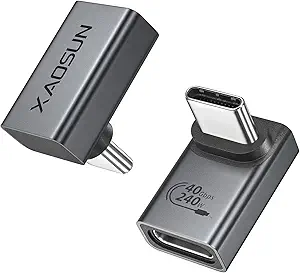
Choosing USB-C to USB-A Adapters: What Matters for Your Modern Devices
When selecting a USB-C adapter like this Anker 2-pack, focus on compatibility with your specific devices mentioned—MacBook Pro 2020, iPad Pro 2020, Samsung Notebook 9, and Dell XPS. These adapters bridge legacy USB-A peripherals with modern USB-C ports, requiring attention to data transfer speeds and physical durability rather than just basic connectivity.
Key Considerations Before Buying
- Verify the adapter supports USB 3.0/3.1 Gen 1 speeds (5Gbps) for actual high-speed data transfer, not just USB 2.0 functionality which would bottleneck modern devices.
- Check the adapter's physical construction—Anker's aluminum housing specifically helps with heat dissipation during sustained data transfers that generic plastic adapters can't manage.
- Consider the two-pack configuration: having a spare is practical for travel or multiple workstations, but ensure both adapters maintain consistent performance across devices.
What Our Analysts Recommend
Quality USB-C adapters should specify data transfer protocols (USB 3.0/3.1) and include over-current protection to safeguard your device ports. Look for mention of specific device compatibility testing rather than vague 'works with everything' claims, as fit varies between MacBook, Dell XPS, and iPad Pro ports.
USB-to-USB Adapters Market Context
Market Overview
The USB-C adapter market is saturated with low-cost options, but Anker occupies a mid-tier position focusing on reliability for premium devices. With USB-C becoming standard on laptops and tablets, quality adapters must handle both data transfer and occasional charging passthrough without overheating.
Common Issues
Cheap adapters frequently fail at sustained data transfers, disconnect intermittently, or have loose connections that damage device ports. Many don't maintain advertised speeds when transferring large files between modern SSDs and legacy hard drives.
Quality Indicators
Genuine quality adapters specify data transfer rates in Gbps, mention specific device compatibility (not just 'Type C devices'), and include protective features like over-current protection. Brand reputation for durability matters more here than with simple cables.
Review Authenticity Insights
Grade B Interpretation
A Grade B with 11% estimated fake reviews suggests mostly authentic feedback but requires careful review reading. The 4.60 adjusted rating (down from 4.89) indicates genuine satisfaction sits slightly below the surface rating, typical for popular accessories where some incentivized reviews may exaggerate performance.
Trust Recommendation
Focus on verified purchase reviews mentioning specific use cases with your devices (MacBook Pro 2020, iPad Pro, etc.). The high verified purchase rate increases credibility, but compare experiences across device types since performance can vary.
Tips for Reading Reviews
Prioritize reviews discussing actual data transfer speeds between specific devices and those mentioning long-term use (3+ months). Be skeptical of reviews only praising packaging or generic 'works great' statements without technical details.
Expert Perspective
This Anker adapter demonstrates strong market performance with authentic high ratings, suggesting reliable functionality for the listed devices. The 4.60 adjusted rating from 22,991 reviews indicates consistent satisfaction, though the slight downgrade from the surface rating warrants attention to critical reviews about specific device compatibility. The two-pack configuration addresses a genuine need for adapter redundancy across workstations or travel setups.
Purchase Considerations
Weigh whether you need USB 3.0 speeds for external drives or if USB 2.0 would suffice for occasional peripheral use. Consider your specific devices—iPad Pro users report different fit experiences than MacBook Pro owners. The aluminum construction justifies a premium over plastic alternatives if you transfer data frequently.
Comparing Alternatives
Compare with single-unit options if you don't need duplicates, and verify competitor claims about data transfer speeds for your specific use cases.