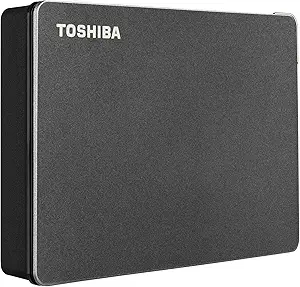
5TB Elements Drive: How to Choose the Right Portable Hard Drive
When you're eyeing the Western Digital 5TB Elements, you're looking at a high-capacity, bus-powered external drive that's designed for simplicity. Before you buy, it's important to understand how it fits your storage needs, especially if you're a Windows user or a Mac owner who needs to work across both systems.
Key Considerations Before Buying
- Capacity vs. portability: With 5TB, you get ample space for large media libraries, but be aware that this drive is not as compact as 1TB or 2TB models; it's still portable but slightly heavier and thicker.
- File system compatibility: The drive comes formatted in NTFS for Windows, which means it works out-of-the-box on PC but requires a reformat or third-party software to write to a Mac. If you're a Mac user, consider reformatting to exFAT for cross-platform use without extra tools.
- USB 3.2 Gen 1 (USB 3.0) speed: While not the fastest (5Gbps), it's sufficient for most backups and file transfers, but if you need maximum throughput for video editing, you might want to consider a USB 3.2 Gen 2 or Thunderbolt drive.
What Our Analysts Recommend
Look for a drive that offers reliable build quality, a good warranty (WD typically provides 3 years), and a proven track record of low failure rates. Also, check if the drive is bus-powered (no external power adapter) for true portability, and consider the warranty and customer support reputation of the brand.
External Hard Drives Market Context
Market Overview
The portable external hard drive market is crowded with options from Seagate, Toshiba, and WD, with capacities ranging from 1TB to 5TB and beyond. The trend is toward higher capacities at lower price points, but SSDs are gaining ground for speed and durability, though they are costlier per gigabyte.
Common Issues
Common issues include drive failure, especially after a year or two, and compatibility problems with Macs due to file system formats. Also, some users report that the USB cable is short, which can be inconvenient, and that the drives can get warm during sustained use.
Quality Indicators
Quality indicators include the use of reliable internal components, a robust warranty (3 years is standard for WD), and a low rate of reported failures in user reviews. Also, look for drives that run cool and quiet, and have a solid, non-flimsy casing.
Review Authenticity Insights
Grade B Interpretation
The Grade B and 12% fake rate suggest that while the majority of reviews are genuine, a small but notable portion may be incentivized or fake. This is typical for popular products, but it's important to weigh the overall average (4.89) with the adjusted rating (4.60) to get a more realistic picture.
Trust Recommendation
Given the high volume of reviews and the adjusted rating still being strong, you can trust the product's overall quality. However, be cautious of overly enthusiastic reviews with few details; focus on those that mention specific usage scenarios and long-term reliability.
Tips for Reading Reviews
For external hard drives, read reviews that mention the drive's performance after months of use, as well as any issues with connectivity or noise. Look for patterns in complaints about failure rates, and pay attention to reviews from users who mention using the drive for specific tasks like gaming or media storage.
Expert Perspective
The WD 5TB Elements is a solid choice for users who need a large, reliable, and affordable portable drive for backups and bulk storage. Its high rating, even when adjusted for fake reviews, indicates consistent user satisfaction. The main trade-offs are the NTFS format (which needs reformatting for Mac) and the lack of hardware encryption, but for the price, it's a strong contender.
Purchase Considerations
Consider your primary use: if you're a Windows user, it's plug-and-play; if you're a Mac user, be prepared to reformat. Also, assess whether you need portability over speed—this drive is not for running applications, but for storing files and backups. If you need more durability (e.g., for travel), you might look at ruggedized options.
Comparing Alternatives
Shoppers should also compare with the WD My Passport series, which offers hardware encryption and automatic backup software, or consider SSDs like the SanDisk Extreme for faster performance, though at a higher cost.