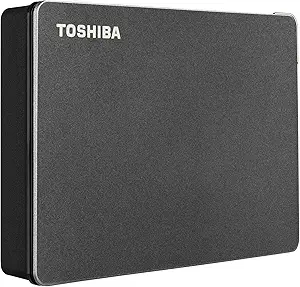
8TB Desktop Backup: WD My Book's Real-World Performance and Pitfalls
When you're shopping for an 8TB desktop external hard drive like the Western Digital My Book, you're likely prioritizing capacity for backups, media libraries, or archival storage. This guide focuses on the practical aspects of owning a high-capacity USB 3.0 desktop drive, including reliability, speed, and the built-in security features that differentiate the My Book from portable options.
Key Considerations Before Buying
- Capacity vs. actual use: An 8TB drive is best for bulk storage, not for active editing or running applications. Understand that its 5400 RPM drive offers adequate sequential read/write speeds for backups and media playback, but not for high-performance tasks.
- Power and connection: Desktop drives like this require an AC power adapter, making them less portable but more reliable for consistent power delivery. Ensure you have a stable power source and a USB 3.0 port (or USB 2.0, which will be slower) for optimal performance.
- Backup software and encryption: The My Book includes WD Backup software and hardware encryption via the built-in password protection. Consider whether you'll use these features or prefer third-party backup tools, and note that forgetting your password can make data unrecoverable.
What Our Analysts Recommend
A reliable desktop drive should offer a sturdy build, adequate cooling for sustained operation, and a warranty that reflects the manufacturer's confidence—WD typically provides a 3-year limited warranty. Look for models with USB 3.0 or higher, and check for features like automatic backup software and AES 256-bit hardware encryption, which the My Book includes. A good indicator of quality is the drive's track record for low failure rates and the availability of firmware updates from the manufacturer.
External Hard Drives Market Context
Market Overview
The external hard drive market is evolving with the rise of SSDs and cloud storage, but high-capacity HDDs like the 8TB My Book remain essential for cost-effective, large-scale local backup and archival. Prices per terabyte have dropped, making 8TB+ drives popular for home users and small businesses with media-heavy workflows.
Common Issues
Common issues in this category include mechanical failures due to physical shock or heat, USB connection problems, and compatibility issues with certain operating systems (e.g., need for reformatting on macOS). Users also report that high-capacity drives can be noisy during operation, and that the included backup software may not suit all users, leading them to seek alternatives.
Quality Indicators
Quality indicators include a reputable brand with a long history in storage, a robust warranty, and positive user feedback on reliability over time. Look for drives that use proven internal components (e.g., WD's own drives), have good thermal management, and offer security features like password protection and encryption. Also, check for certifications like USB-IF to ensure proper connectivity.
Review Authenticity Insights
Grade B Interpretation
The Grade B and 10% estimated fake review rate suggest that while the majority of reviews are genuine, a notable minority may be incentivized or non-verified. This is not alarming for a popular product, but it means you should weigh the overall rating (4.44) with slight caution, knowing the adjusted rating (4.20) may be closer to the true customer sentiment.
Trust Recommendation
Given the authenticity grade, you can trust the core consensus from verified buyers: the drive is reliable for backup but has occasional issues with software and noise. Focus on reading detailed reviews that mention long-term use and specific failure modes, rather than generic praise. Be wary of overly positive or negative reviews that lack specific context.
Tips for Reading Reviews
When reading reviews for this type of product, filter by 'Verified Purchase' and look for reviews that describe the drive's performance after months of use, including any failures or workarounds. Pay attention to reviews that mention specific use cases (e.g., video editing, NAS backup) to see if they align with your needs. Also, check the 'Critical Reviews' section for common complaints and how the seller/manufacturer responds.
Expert Perspective
The WD My Book 8TB is a solid, reliable desktop drive for bulk storage and backup, backed by a large user base with mostly positive experiences. The hardware encryption and password protection are valuable features for data security, and its 4.44 rating reflects general satisfaction. However, the 10% fake review rate and adjusted rating of 4.20 suggest that some negative aspects—like software quirks or mechanical failures—are underreported. For the price per terabyte, it remains a competitive choice, but you should be prepared to manage its limitations (noise, speed).
Purchase Considerations
Weigh the need for 8TB capacity against the drive's desktop-only form factor and power requirement. If portability is essential, consider a portable SSD or a smaller HDD. Also, compare the My Book's price with other 8TB external drives (like Seagate Expansion or LaCie) and factor in the included backup software and encryption. If you plan to use it for Mac, note that it comes formatted for Windows, requiring reformatting.
Comparing Alternatives
Shoppers should compare this drive with similar high-capacity desktop options from Seagate, Toshiba, and LaCie, as well as consider network-attached storage (NAS) if they need multi-device access.