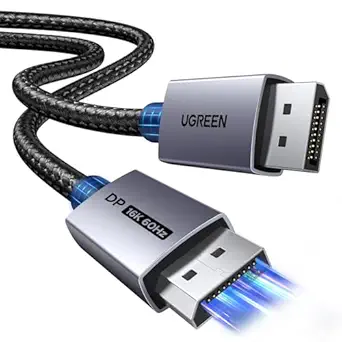
DisplayPort to HDMI Cables: Direction, Length, and Resolution Matter
This Amazon Basics cable is a uni-directional DisplayPort-to-HDMI adapter, meaning it only works from a DisplayPort source (like a PC or dock) to an HDMI display. With a 25-foot run and support for up to 1920x1200 or 1080p, it's built for specific setups—not a universal video cable.
Key Considerations Before Buying
- Uni-directional design: This cable only converts DisplayPort output to HDMI input. It will not work in reverse (HDMI source to DisplayPort monitor), so confirm your source device has a DisplayPort output before buying.
- Resolution and refresh limits: It maxes out at 1920x1200 or 1080p, which is fine for standard HD monitors and projectors but insufficient for 1440p, 4K, or high-refresh gaming. If you need higher resolution, look for an active adapter rated for those specs.
- 25-foot length: Long passive cables can suffer signal degradation. For runs beyond 15 feet, ensure the cable is well-shielded and gold-plated (as this one is) to maintain signal integrity, and test immediately upon arrival.
What Our Analysts Recommend
Check for gold-plated connectors to resist corrosion, clear labeling of directionality, and compliance with DisplayPort 1.2 or higher for reliable audio and video transmission. Also verify the cable's AWG rating—lower numbers mean thicker wire and better performance over distance.
DisplayPort Cables Market Context
Market Overview
The DisplayPort-to-HDMI cable market is flooded with inexpensive options, but many are uni-directional and limited to 1080p. As more devices adopt USB-C and Thunderbolt, demand for legacy DisplayPort-to-HDMI solutions remains steady for connecting older PCs and docks to TVs and monitors.
Common Issues
A frequent complaint is cables that don't work in the expected direction—users try to go from HDMI to DisplayPort and get no signal. Another issue is signal dropouts over long runs, especially with cheaply made cables that lack proper shielding.
Quality Indicators
Look for gold-plated connectors, explicit support for the resolutions you need, and clear labeling of directionality. Brand reputation and verified reviews that mention specific setups (e.g., 'works from my Dell dock to Samsung TV') are strong signals of reliability.
Review Authenticity Insights
Grade A Interpretation
An authenticity grade of A with an estimated 8% fake reviews indicates that the vast majority of the 72,419 ratings are genuine. This high volume of authentic feedback makes the 4.89/5 rating highly credible, though the adjusted 4.70/5 suggests a slight inflation.
Trust Recommendation
You can trust the overall sentiment, but focus on reviews that describe specific use cases and mention the cable's limitations (e.g., directionality). The high review count means outliers are less likely to skew the average.
Tips for Reading Reviews
Filter for reviews that mention your intended source and display devices. Pay attention to comments about signal quality over the 25-foot length, as this is a common pain point for long cables.
Expert Perspective
This Amazon Basics cable offers a straightforward solution for connecting a DisplayPort computer to an HDMI display over a long distance. Its gold-plated connectors and support for 1080p/1920x1200 are adequate for basic office and home theater use, but it's not suitable for high-resolution or high-refresh applications. The overwhelmingly positive reviews suggest it performs reliably within its stated specs.
Purchase Considerations
Before buying, confirm that your source device has a DisplayPort output and your display has an HDMI input. Also consider whether you need audio pass-through—this cable supports it, but some cheap adapters don't. If you need 4K or higher refresh rates, you'll need a more capable (and likely more expensive) active adapter.
Comparing Alternatives
Shoppers should compare with active DisplayPort-to-HDMI adapters if they need higher resolutions or longer runs, and consider brands like Cable Matters or Rankie for similar specs at varying price points.
![80Gbps DisplayPort Cable 2.1 6.6FT/2m, [VESA Certified UHBR20] 16K@60Hz, 8K@240Hz, 4K@540Hz 360Hz 240Hz, DP 2.1 Cable DP80 Braided Cord, FreeSync G-Sync HDR for Gaming Monitor RTX5090/5080 7900XTX](https://m.media-amazon.com/images/I/41Ma0hm6PhL._SX342_SY445_QL70_FMwebp_.jpg)