Wireless Mouse Buying Guide: What to Know Before You Click
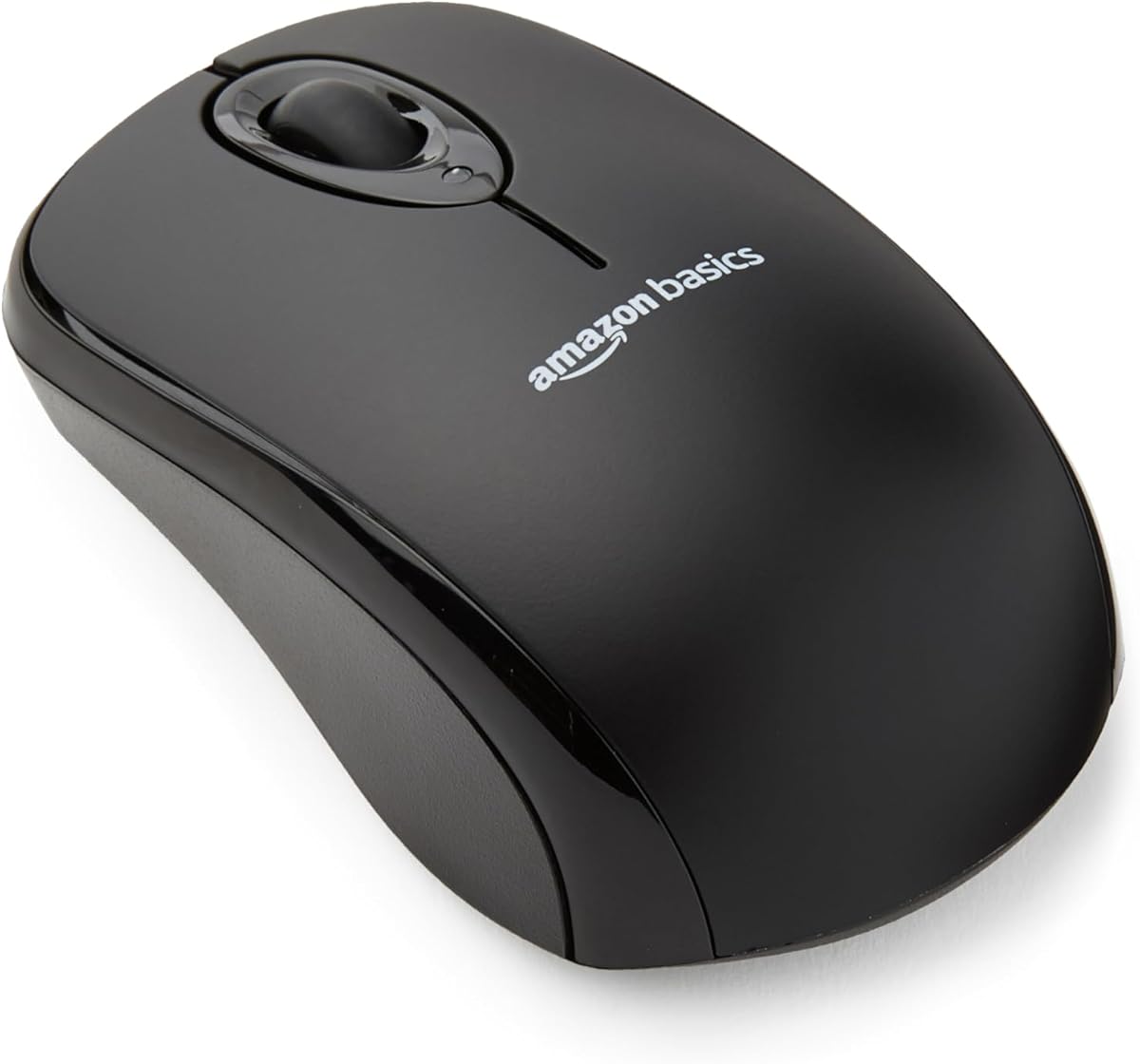
A reliable wireless mouse is essential for everyday computing, and the Amazon Basics 2.4 GHz Wireless Optical Mouse promises plug-and-play convenience at a budget price. With its nano receiver and multi-device compatibility, it's designed for laptops and desktops alike. Here's what to consider before adding it to your cart.
Key Considerations Before Buying
- Connectivity: This mouse uses a 2.4 GHz USB nano receiver, which provides a stable connection with minimal lag. Unlike Bluetooth mice, it doesn't require pairing, but it does occupy a USB port—consider whether you have one to spare.
- Ergonomics and Size: The Amazon Basics mouse is compact and portable, ideal for travel. However, its smaller size may not suit users with larger hands or those needing extensive ergonomic support for long work sessions.
- Battery Life and Power: It runs on a single AA battery (often included), but battery life varies with usage. Look for power-saving features like an on/off switch, which this model includes to extend battery life.
What Our Analysts Recommend
When evaluating wireless mice, prioritize sensor accuracy (measured in DPI), build quality, and comfort. A DPI of 1000-1600 is sufficient for general use, but gamers may need higher. Check for durable buttons and a comfortable shape for your grip style. Also, consider the receiver type: nano receivers are convenient but can be lost; some mice offer Bluetooth for cable-free connectivity without a dongle.
Mice Market Context
Market Overview
The wireless mouse market is saturated with options ranging from budget-friendly basics to premium ergonomic models. Amazon Basics has carved a niche by offering functional, no-frills peripherals at low prices, appealing to cost-conscious consumers. The 2.4 GHz wireless technology remains popular for its reliability and plug-and-play simplicity, even as Bluetooth models gain traction.
Common Issues
Common complaints in this category include laggy connections, short battery life, and poor ergonomics leading to wrist strain. Some users also report interference from other wireless devices, causing cursor jumps. Additionally, cheaply made mice may develop clicking issues or scroll wheel failures within months.
Quality Indicators
A quality wireless mouse should have a responsive sensor, comfortable shape, and durable construction. Look for positive reviews about long-term reliability and battery efficiency. Brands that offer warranties or have a history of producing dependable peripherals are safer bets. For Amazon Basics, the high review count and rating suggest consistent quality.
Review Authenticity Insights
Grade A Interpretation
An authenticity grade of A with an estimated 5.00% fake reviews indicates that the overwhelming majority of reviews for this Amazon Basics mouse are genuine. This is exceptionally high for a product with over 70,000 reviews, suggesting that the 4.89-star rating is trustworthy. The adjusted rating of 4.80/5, which accounts for potential fakes, remains impressive.
Trust Recommendation
You can confidently rely on the customer feedback for this mouse. The high volume of verified purchases and detailed reviews makes it easy to gauge real-world performance. Still, as with any product, read a mix of positive and critical reviews to understand potential drawbacks.
Tips for Reading Reviews
Focus on reviews that mention specific use cases, such as travel, office work, or gaming, to see if the mouse fits your needs. Pay attention to comments about battery life and durability over time. Since the fake percentage is low, even negative reviews are likely authentic and highlight genuine issues like size or connectivity.
Expert Perspective
The Amazon Basics 2.4 GHz Wireless Optical Mouse is a solid budget option that delivers reliable performance for everyday tasks. Its high rating and authenticity grade indicate that most users find it comfortable and functional. While it lacks advanced features like customizable buttons or high DPI, it excels in simplicity and value. For basic computing needs, it's a dependable choice.
Purchase Considerations
Consider your hand size and usage patterns: if you need a portable mouse for occasional use, this is ideal. However, if you require ergonomic support for long hours or precision for gaming, you might want to invest in a more specialized model. Also, check if you prefer a rechargeable battery over disposable AAs.
Comparing Alternatives
Before purchasing, compare with similar budget wireless mice from brands like Logitech or TeckNet, which may offer slightly different features or ergonomics. Reading side-by-side reviews can help you find the best fit for your needs.