
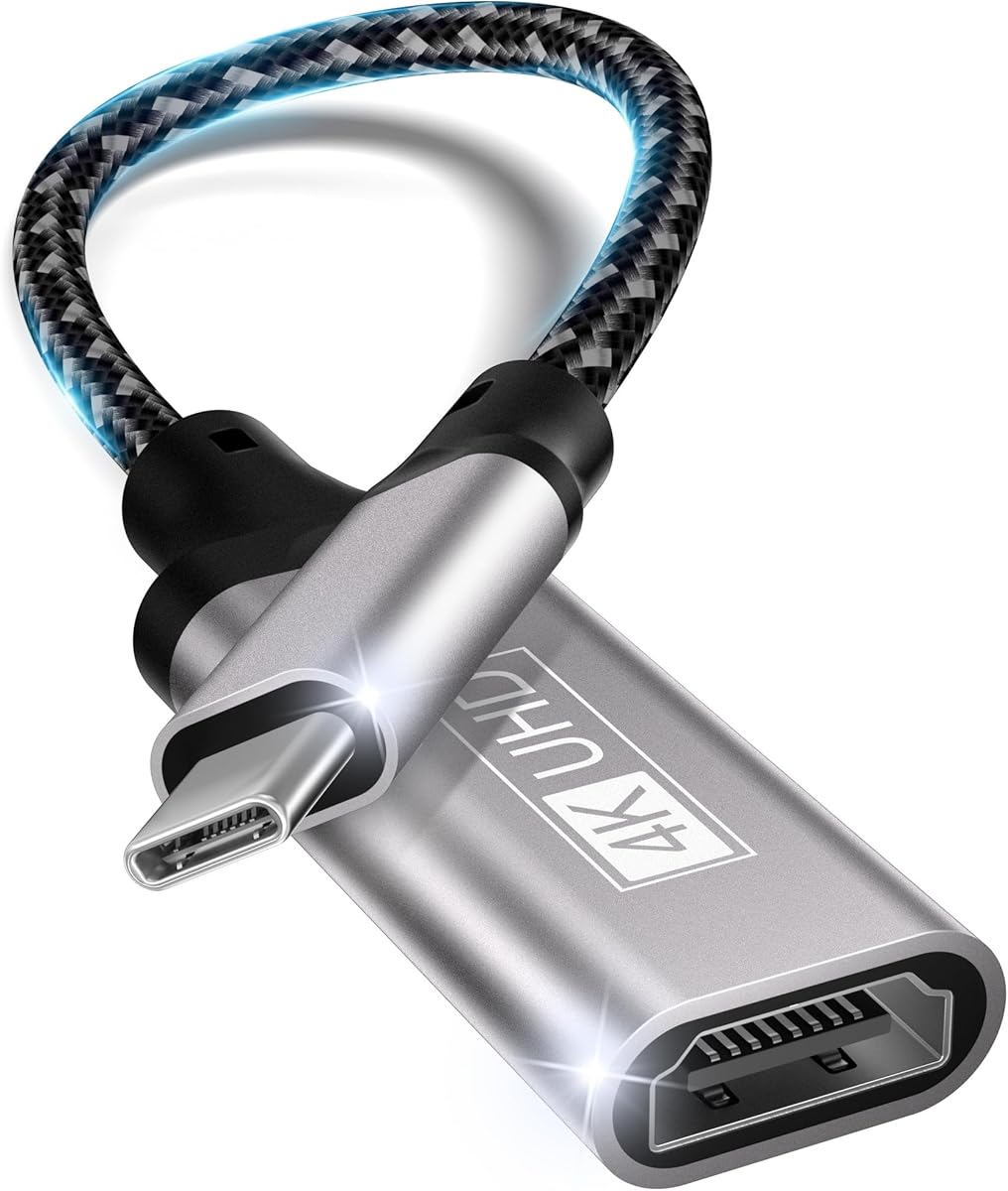
Choosing a USB-C to HDMI adapter that delivers reliable 4K connectivity across devices
This specific USB-C to HDMI adapter distinguishes itself with broad compatibility claims including iPhone 15 Pro models, recent MacBooks, Dell XPS, iPads, Samsung Galaxy devices, and Surface Pro tablets. Buyers should understand that while many adapters promise universal compatibility, actual performance varies significantly based on device-specific power delivery and protocol support.
Key Considerations Before Buying
- Verify your device's specific USB-C port capabilities—some laptops require Thunderbolt 3 for 4K@60Hz while others work with standard USB-C DisplayPort Alt Mode.
- Check whether you need simultaneous power delivery through the adapter or if you'll use separate charging, as this affects heat management and stability.
- Consider cable length and build quality—this particular model's compact grey design suggests portability but may lack strain relief for frequent travel use.
What Our Analysts Recommend
Quality indicators include clear specification of supported resolutions (this adapter claims 4K@30Hz), proper heat dissipation design, and explicit compatibility lists rather than vague 'works with all devices' claims. Look for adapters that specify HDCP 2.2 support for streaming protected content.
DisplayPort to HDMI Adapters Market Context
Market Overview
The USB-C to HDMI adapter market is saturated with products ranging from basic $10 adapters to premium $40+ models with additional ports and features. This specific adapter occupies the mid-range segment, competing primarily on broad device compatibility rather than premium build quality or extra functionality.
Common Issues
Users frequently encounter handshake problems where displays don't recognize the connection, intermittent signal drops during use, and overheating during extended 4K streaming sessions. Some adapters fail to maintain stable connections with specific device combinations despite claiming universal compatibility.
Quality Indicators
Higher-quality adapters typically feature aluminum housings for better heat dissipation, reinforced cable connections, and clear labeling of supported protocols (DisplayPort 1.2 vs 1.4). Premium models often include overcurrent protection and explicit certification logos for standards like HDMI 2.0.
Review Authenticity Insights
Grade B Interpretation
The Grade B authenticity rating with 10% estimated fake reviews indicates generally trustworthy feedback, though shoppers should remain cautious of potentially inflated praise. The 0.21-point difference between the raw 4.11/5 and adjusted 3.90/5 ratings suggests some review manipulation exists but doesn't dominate the overall perception.
Trust Recommendation
Focus on reviews that mention specific device combinations you plan to use, particularly iPhone 15 Pro or Surface Pro connections, as these represent more authentic use cases. Be skeptical of reviews claiming 'perfect performance with every device' without mentioning specific testing scenarios.
Tips for Reading Reviews
Prioritize reviews that detail resolution testing (especially 4K performance), mention specific content types streamed (Netflix, gaming, presentations), and discuss longevity over several months of use. Verified purchase reviews from the Netherlands market carry particular weight for regional compatibility.
Expert Perspective
This adapter's 3.90 adjusted rating from 4,723 reviews suggests solid performance for most users, though the authenticity analysis indicates some review inflation. The broad compatibility claims spanning Apple, Samsung, Dell, and Microsoft devices are ambitious—real-world performance likely varies significantly across this range. The product appears strongest for basic 4K@30Hz presentation and media streaming rather than demanding applications like high-refresh gaming or professional color-critical work.
Purchase Considerations
Weigh whether you need true universal compatibility or primarily connect to one device type. Consider if 4K@30Hz meets your needs or if you require 60Hz for smoother video and desktop experience. Evaluate whether the lack of additional ports (USB-A, Ethernet, card readers) aligns with your workflow requirements.
Comparing Alternatives
Shoppers should compare this adapter's specific compatibility claims against alternatives that may offer better performance with their primary device ecosystem.


