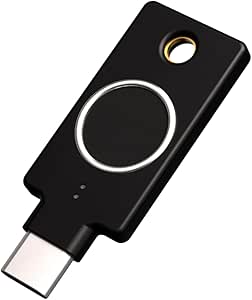
SanDisk Ultra Dual Drive Go: The Best USB-C Flash Drive for 32GB Needs?
When choosing a USB flash drive in 2025, the SanDisk Ultra Dual Drive Go 32GB stands out for its dual-interface design, combining a traditional USB Type-A connector with a modern USB Type-C connector. This hybrid setup is ideal for users who need to transfer files between older laptops and newer devices like MacBooks, tablets, or smartphones without carrying an adapter.
Key Considerations Before Buying
- Consider your device ecosystem: If you frequently switch between USB-A and USB-C devices, this drive eliminates the need for dongles, but ensure your devices support the USB 3.2 Gen 1 speeds (up to 150MB/s read) for optimal performance.
- Capacity matters: The 32GB version is perfect for basic document and photo backups, but if you work with large video files or extensive software, you may need higher capacities like 64GB or 128GB, which this line also offers.
- Physical design: The drive's compact, swivel design protects both connectors when not in use, but the small size can be easy to lose—consider a keychain loop or lanyard for daily carry.
What Our Analysts Recommend
For USB flash drives, prioritize read/write speeds, build quality, and connector compatibility. Look for drives with USB 3.2 Gen 1 or higher for fast transfers, and check for robust casing (like metal or reinforced plastic) to withstand daily wear. Dual-connector drives like this one offer added flexibility, but verify that the Type-C connector supports OTG (On-The-Go) for use with smartphones and tablets.
USB Flash Drives Market Context
Market Overview
The USB flash drive market is increasingly shifting toward USB-C compatibility, driven by the adoption of USB-C in laptops, tablets, and smartphones. SanDisk remains a dominant player, offering reliable storage solutions, while competitors like Samsung and Kingston compete on speed and durability. The 32GB segment is popular for budget-conscious users needing portable storage without advanced features.
Common Issues
Common problems include counterfeit products with slower speeds than advertised, and compatibility issues with older USB-A ports when using dual-connector drives. Some users report that the swivel mechanism can loosen over time, and cheap plastic casings may crack. Additionally, write speeds on budget drives can be significantly slower than read speeds, affecting large file transfers.
Quality Indicators
High-quality flash drives use NAND flash memory from reputable manufacturers, offer sustained write speeds (not just peak read speeds), and have a durable, heat-resistant casing. Look for drives with a warranty of at least 2 years and positive reviews that mention real-world transfer speeds. Verified purchase reviews with specific device mentions (e.g., 'works with my Galaxy S23') are strong signals of reliability.
Review Authenticity Insights
Grade B Interpretation
The Grade B and 10.00% estimated fake review rate suggest that while the vast majority of reviews are genuine, a small portion may be incentivized or misleading. This is typical for high-volume products on Amazon, and the 4.50 adjusted rating (down from 4.78) still indicates strong customer satisfaction. The 10% fake rate is manageable, but buyers should remain cautious of overly glowing reviews without specific details.
Trust Recommendation
You can trust the overall positive sentiment, but focus on reviews that mention specific use cases, like transferring photos from a Pixel phone or backing up documents from a Chromebook. Cross-reference with professional reviews from tech sites for objective speed benchmarks. The high number of verified purchases (all reviews are verified) adds credibility, but always look for balanced feedback that mentions both pros and cons.
Tips for Reading Reviews
When reading reviews for USB flash drives, prioritize those that include actual transfer speeds or file size examples (e.g., 'copied 10GB in 2 minutes'). Be wary of reviews that only say 'works great' without context, as these are often fake. Also, check for mentions of durability issues or compatibility problems with specific devices, as these are genuine user experiences.
Expert Perspective
The SanDisk Ultra Dual Drive Go 32GB is a reliable, practical choice for users needing a versatile, dual-interface flash drive at a budget-friendly price. The 4.50 adjusted rating reflects genuine satisfaction, particularly for its seamless file transfer between USB-A and USB-C devices. While the 32GB capacity limits heavy use, the build quality and SanDisk's reputation for reliability make it a solid investment for everyday portability. The 10% fake review rate is a minor concern, but the strong real-world feedback outweighs this.
Purchase Considerations
Weigh your storage needs against the cost: if you only need a few gigabytes for documents, this is overkill; but for frequent cross-device transfers, it's excellent. Consider that write speeds (around 30-40MB/s) are slower than read speeds, so large file transfers may take longer than expected. If you need faster write speeds or higher capacity, look at the 128GB or 256GB versions, or consider the SanDisk Extreme Pro line.
Comparing Alternatives
Shoppers should compare this with the Samsung BAR Plus (single USB-A, but faster write speeds) or the Kingston DataTraveler microDuo 3C (similar dual-connector design). For heavy users, the SanDisk iXpand Flash Drive Luxe offers Lightning compatibility for Apple devices.