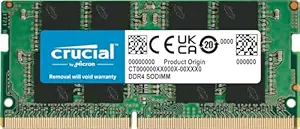
DDR4 SO-DIMM Buying Guide: Speed, Compatibility, and Rank Matters
When upgrading your laptop's memory, not all DDR4 SO-DIMM modules are created equal. The Dolgix 8GB DDR4 2133MHz module targets budget-conscious users who need a reliable single-rank upgrade for older laptops, but you must verify compatibility with your system's memory controller and slot configuration.
Key Considerations Before Buying
- Check your laptop's maximum supported memory speed and capacity before buying. Installing a 2133MHz module in a system that only supports 2133MHz will work, but if your laptop supports higher speeds like 2400MHz or 2666MHz, this module will downclock to 2133MHz, potentially limiting performance.
- Single-rank (1Rx8) modules use fewer memory chips per module than dual-rank (2Rx8), which can affect compatibility with certain older chipsets. Some laptops require dual-rank for optimal performance or may not POST with single-rank modules, so consult your manual or manufacturer.
- Voltage and latency: This module operates at standard DDR4 1.2V with CL15 latency. Mixing with existing memory of different latency or voltage can cause instability, so it's best to replace all modules or match specifications exactly.
What Our Analysts Recommend
Look for modules from brands with clear warranty terms and positive user feedback about compatibility with specific laptop models. Verify the part number (PC4-17000) matches your system's requirements, and prioritize modules that are physically compatible (260-pin SO-DIMM) and have been tested by other users with your laptop model.
Memory Market Context
Market Overview
The laptop RAM market is dominated by major brands like Crucial, Kingston, and Samsung, but regional players like Dolgix offer budget alternatives. DDR4 is still widely used in laptops from 2015-2020, while DDR5 is becoming standard in newer models, making DDR4 upgrades a cost-effective way to extend the life of older machines.
Common Issues
Common problems include incompatible memory causing boot failures, mixed modules leading to instability, and counterfeit or low-quality chips that fail prematurely. Additionally, some laptops have soldered RAM or limited slots, so upgrading may not be possible. Always check your laptop's specifications before purchasing.
Quality Indicators
Quality RAM modules use branded memory chips (e.g., Samsung, Micron, Hynix) and have strict quality control. Indicators include clear labeling of speed, latency, and rank, as well as a warranty of at least 3 years. User reviews mentioning specific laptop models and successful installations are strong signs of reliability.
Review Authenticity Insights
Grade B Interpretation
A Grade B authenticity rating with an estimated 15% fake reviews means that while most reviews are genuine, you should be cautious. The adjusted rating of 4.40/5 (down from 4.78) suggests that the product is still well-received, but some inflated reviews may exist. This is typical for budget tech products on Amazon.
Trust Recommendation
Trust the product but verify compatibility yourself. Focus on reviews that mention your laptop model or similar configurations. Look for detailed installation experiences and performance metrics rather than vague praise. The 3-year warranty provides some recourse if the module fails.
Tips for Reading Reviews
When reading reviews, prioritize those with specific technical details, such as laptop model, existing RAM configuration, and performance benchmarks. Be skeptical of reviews that are overly enthusiastic without specifics or that use repetitive language. Check the reviewer's history for patterns of fake reviews.
Expert Perspective
The Dolgix 8GB DDR4 2133MHz SO-DIMM is a budget-friendly option for upgrading older laptops that require 2133MHz memory. With a 4.40 adjusted rating and 3-year warranty, it offers decent value, but the single-rank design and 2133MHz speed may limit compatibility and performance in some systems. The Made in India label appeals to local buyers, but quality control may vary compared to established brands.
Purchase Considerations
Consider this module if your laptop specifically requires 2133MHz DDR4 and you need a low-cost upgrade. However, if your laptop supports higher speeds, investing in a faster module (e.g., 2400MHz or 2666MHz) may yield better performance for a similar price. Also, check if dual-rank is required for your system.
Comparing Alternatives
Compare with offerings from Crucial, Kingston, or Samsung, which may cost slightly more but offer better compatibility guarantees and performance. Read reviews for your specific laptop model to see which brands work best.