Smart Projector Buying Guide: Native 1080P vs 4K Support Explained
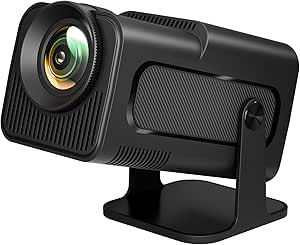
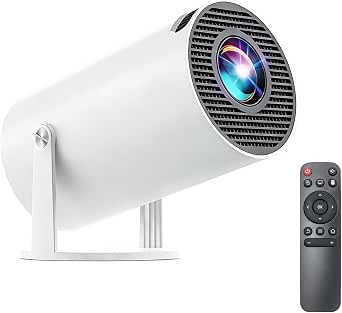
The 2026 New Smart Projector combines built-in Android 14 apps with native 1080p resolution and 4K input support, a common but potentially confusing spec combination. Before buying, understand what '4K supported' really means and whether built-in streaming apps fit your setup.
Key Considerations Before Buying
- Native 1080p resolution means the projector displays 1920x1080 pixels; '4K supported' typically indicates it can accept a 4K signal and downscale it, not project true 4K. If you want genuine 4K projection, expect to pay significantly more.
- Built-in Android 14 apps let you stream without an external stick, but app availability and performance depend on the projector's chipset and RAM. Check whether major UK apps like BBC iPlayer, ITVX, and Netflix are officially supported.
- Brightness, measured in ANSI lumens, determines usability in different lighting. For a living room with some ambient light, aim for at least 2000 ANSI lumens; for a dedicated dark room, 1000–1500 lumens can suffice.
What Our Analysts Recommend
Prioritise models with high ANSI lumens (not just 'light source' lumens), a native 1080p chip, and certified app support. Also check for auto keystone and focus, which simplify setup, and ensure HDMI inputs match your devices.
Projectors Market Context
Market Overview
The projector market is flooded with budget-friendly smart models, many boasting 4K support and built-in apps. However, true 4K projectors remain expensive, so most sub-£500 units use native 1080p or lower chips with 4K input compatibility.
Common Issues
Buyers often complain about exaggerated brightness claims, laggy smart interfaces, and limited app stores. Another frequent issue is fan noise, which can detract from movie nights if the projector sits close to viewers.
Quality Indicators
Look for brands that publish ANSI lumens rather than vague 'max brightness', and check for DLP or LCD chip specifications. Reviews mentioning customer service and firmware updates are also good signs of a reliable product.
Review Authenticity Insights
Grade B Interpretation
A Grade B authenticity rating with an estimated 15% fake reviews means most reviews are trustworthy, but some may be incentivised. The adjusted rating of 4.60/5 is still strong, suggesting genuine satisfaction among verified buyers.
Trust Recommendation
Focus on reviews that describe specific use cases, such as gaming or outdoor movie nights, and check for verified purchase badges. Be cautious of reviews that only praise brightness or apps without mentioning drawbacks.
Tips for Reading Reviews
Look for mentions of real-world brightness in different lighting, app performance, and customer support experiences. Reviews with photos or videos of projected images are especially helpful for judging picture quality.
Expert Perspective
This projector appears to be a solid entry-level smart projector with genuine positive feedback. The Android 14 interface and native 1080p resolution make it a convenient all-in-one solution for casual viewing, though the '4K supported' label may mislead some buyers expecting true 4K.
Purchase Considerations
Weigh the convenience of built-in apps against potential limitations in app selection and performance. If you already own a streaming stick, a non-smart projector with better brightness might offer superior value.
Comparing Alternatives
Compare this model with other 1080p smart projectors from brands like XGIMI or Anker, and consider whether a dedicated 4K projector is worth the investment for your needs.