
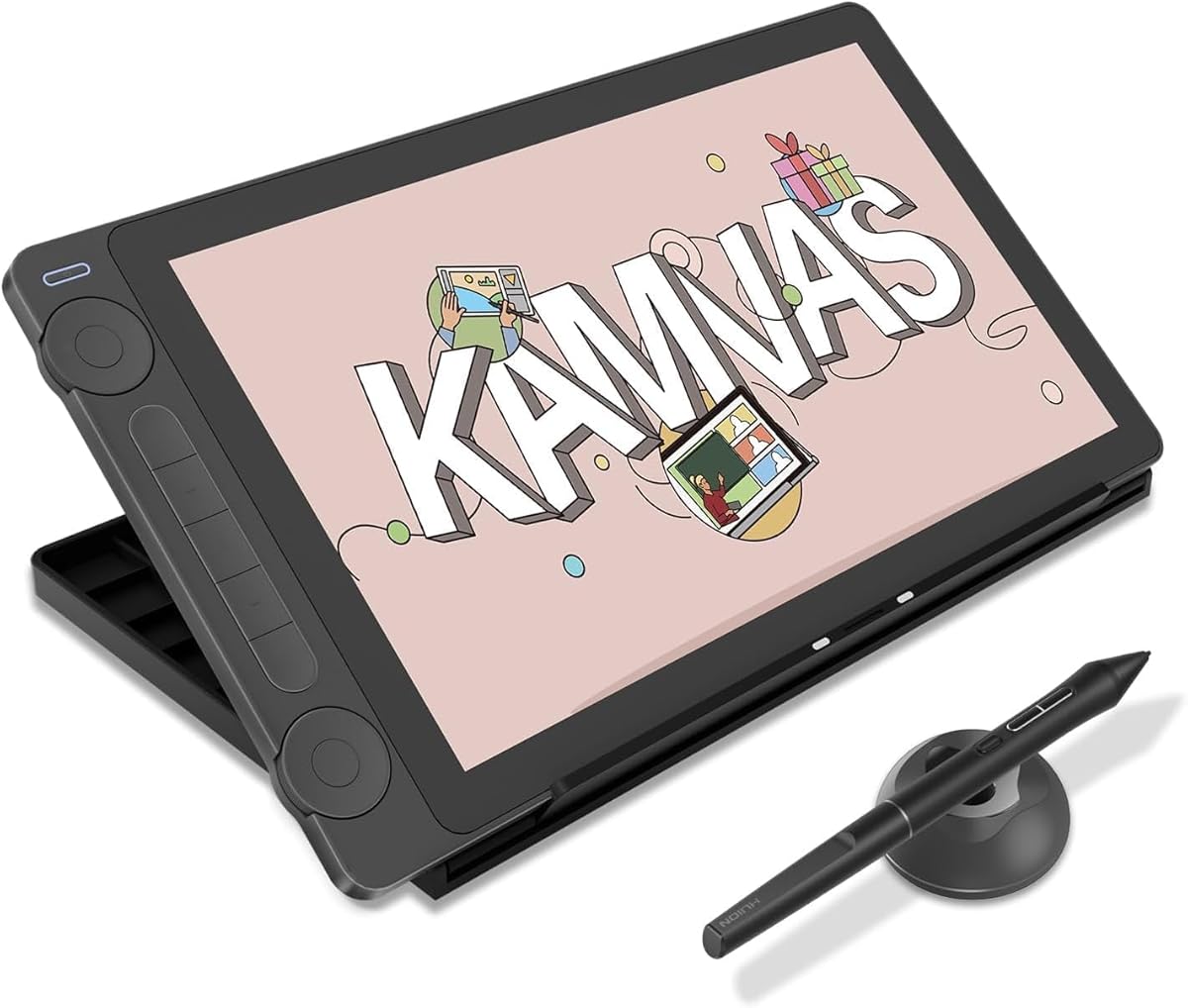
Choosing a 13-inch drawing tablet: Screen quality, pen accuracy, and workflow integration matter most
The HUION Kamvas 13 (Gen 3) represents a mid-range pen display where colour accuracy and physical controls directly impact creative workflow. Buyers should evaluate how the 99% sRGB coverage and included stand compare to their specific digital art or design needs, as these features differentiate it from basic tablets.
Key Considerations Before Buying
- The 13.3-inch active area requires balancing screen real estate with desk space—ideal for portability but potentially cramped for complex multi-layer projects.
- PenTech 4.0's 16384 pressure levels and tilt recognition must translate to minimal parallax and natural stroke feel, which varies by user grip and software.
- Dual dials and five express keys should map intuitively to your most-used shortcuts in programs like Photoshop or Clip Studio Paint.
What Our Analysts Recommend
Genuine reviews will mention specific software compatibility (like driver issues with macOS updates) and tactile details like the canvas-textured glass surface. Look for mentions of the three-in-one cable's reliability and colour calibration out of the box, as these are practical quality indicators.
Graphic Tablets Market Context
Market Overview
The 13-inch pen display segment is highly competitive, with Wacom, XP-Pen, and Huion offering similar specs at varying price points, often distinguishing themselves through bundled accessories or software partnerships. Recent generations focus on reducing parallax and improving colour gamut rather than raw resolution increases.
Common Issues
Users frequently report driver conflicts, especially when switching between tablet brands, and colour variance between the tablet screen and a primary monitor. Some models exhibit backlight bleeding at the edges or require frequent pen recalibration.
Quality Indicators
Beyond specs like 16384 pressure levels, consistent praise for minimal pen lag, sturdy kickstand hinges, and scratch-resistant etched glass surfaces signal thoughtful engineering. Manufacturer support for firmware updates to address software conflicts is also crucial.
Review Authenticity Insights
Grade B Interpretation
A Grade B with a 10% estimated fake review rate suggests the overall 4.89/5 rating is generally reliable but slightly inflated. The high volume of verified purchases (1990 reviews) adds credibility, though shoppers should be aware that critical feedback might be underrepresented.
Trust Recommendation
Prioritise reviews that detail long-term use over several months, as they better reveal durability concerns like cable connector wear. The adjusted 4.60/5 rating from authentic reviews is a more realistic benchmark for performance expectations.
Tips for Reading Reviews
Focus on reviews that mention specific creative tasks (e.g., 'line art for comics' or 'photo retouching') and discuss the dual dials' customisation. Be sceptical of overly vague praise about 'amazing colours' without context about their calibration process.
Expert Perspective
The Kamvas 13 (Gen 3) positions itself as a strong value proposition, particularly with its included stand and 99% sRGB claim. The exceptionally high authentic rating of 4.60/5 indicates it delivers on core promises for most users. However, the gap between the raw and adjusted ratings suggests some positive experiences may be overstated, and the B grade implies a need to scrutinise critical reviews for consistent technical issues. Its success hinges on Huion's drivers maintaining stability across operating system updates.
Purchase Considerations
Weigh the convenience of the all-in-one cable and included stand against potential trade-offs, such as the 13.3-inch size for detailed work. Consider if your workflow benefits more from the dual dials or if you'd prefer more express keys found on some competitors.
Comparing Alternatives
Shoppers should compare the Kamvas 13's bundled accessories and colour performance directly against the XP-Pen Artist 13.3 Pro and Wacom One 13 touch for similar screen sizes.


