
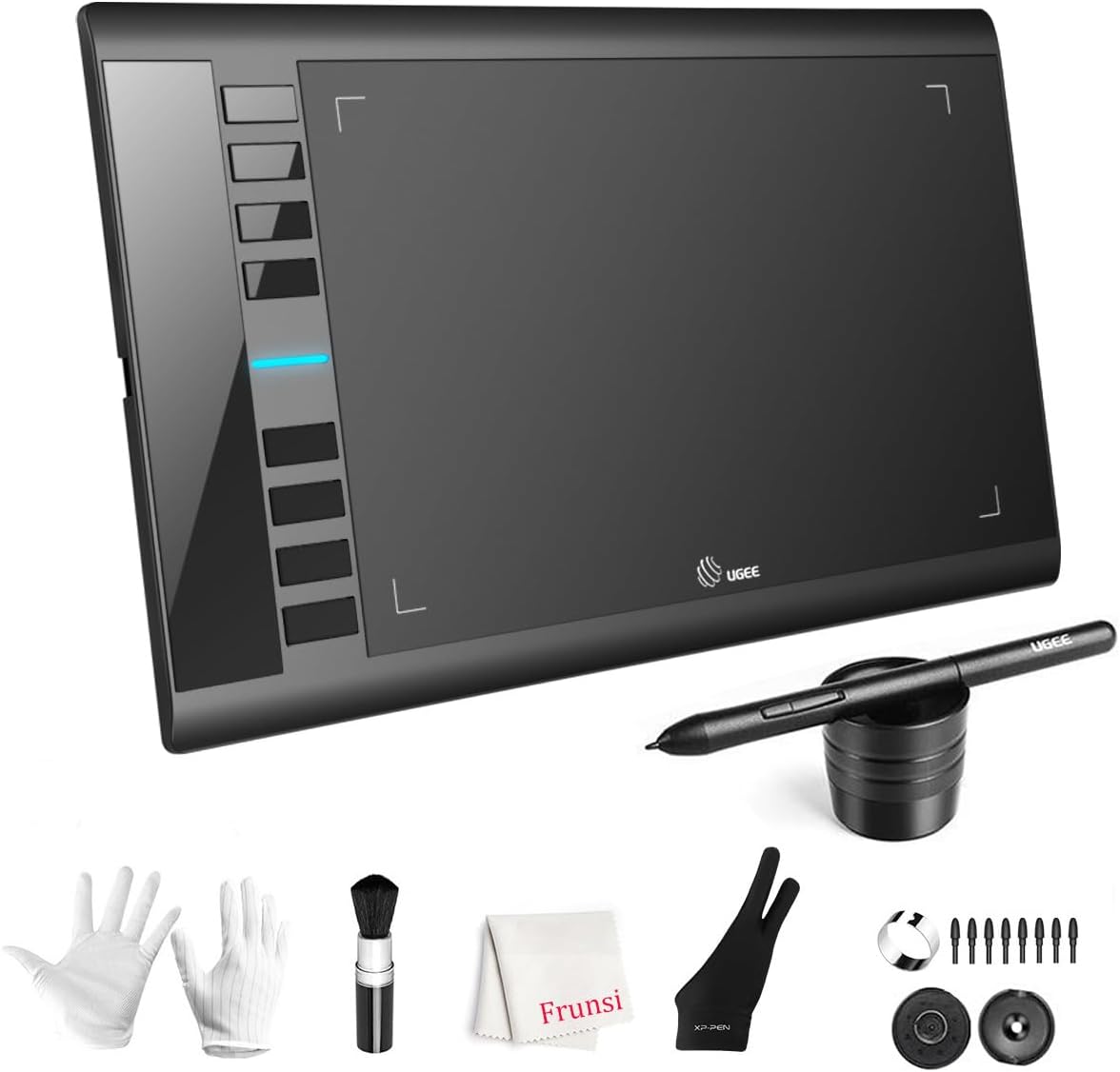
UGEE M708 V3: Budget Drawing Tablet with Pro-Level Sensitivity
If you're a beginner or hobbyist digital artist, the UGEE M708 V3 offers a compelling entry point at a budget-friendly price. Its standout feature is the 16384 levels of pressure sensitivity, which promises nuanced control over line weight and opacity, a spec typically found on pricier models. However, navigating the budget tablet market requires understanding trade-offs between features, build quality, and driver support.
Key Considerations Before Buying
- Pressure sensitivity: The 16384 levels on the M708 V3 are double the industry standard, but ensure your software and workflow can utilize this high resolution; many programs cap at 4096 or 8192 levels.
- Active area vs. screen size: The 10 x 6 inch drawing area is a classic sweet spot—large enough for sweeping strokes but compact enough for a cluttered desk. Consider your drawing style: wrist-movers may prefer smaller tablets, while arm-sweepers will appreciate the extra space.
- Battery-free pen: The included stylus requires no charging, which eliminates downtime and maintains consistent weight. Verify that the pen's nibs and buttons feel comfortable for extended use, as ergonomics vary widely among budget tablets.
What Our Analysts Recommend
When evaluating a budget drawing tablet, check driver compatibility with your operating system (Windows, macOS, Chromebook, Linux) and the responsiveness of the pen's tilt and pressure. Also, examine the surface texture: a paper-like feel reduces slippage but may wear down nibs faster. Finally, assess the placement and programmability of the 8 hot keys—they should be easily reachable without accidental presses.
Graphic Tablets Market Context
Market Overview
The graphic tablet market is increasingly saturated with affordable options from brands like Huion, XP-Pen, and UGEE, pushing pressure sensitivity specs higher while keeping prices under £100. This competition has made professional-level features accessible to students and hobbyists, but it also means buyers must scrutinize build quality and driver stability, which can vary significantly between models.
Common Issues
Common problems in this category include driver conflicts on macOS updates, pen jitter or cursor drift on older Windows systems, and inconsistent pressure curves that require manual calibration. Budget tablets may also have less durable USB cables or surface coatings that wear off after months of heavy use.
Quality Indicators
A high-quality budget tablet typically features a laminated drawing surface to reduce parallax, a pen with replaceable nibs and low activation force, and robust driver software that supports custom pressure curves. Look for tablets with a low latency (under 10ms) and positive user feedback on driver reliability across multiple OS versions.
Review Authenticity Insights
Grade B Interpretation
The Grade B authenticity rating and 10% estimated fake review rate indicate that while the majority of feedback is genuine, a small but notable portion may be incentivized or fabricated. This is typical for a high-volume, budget-friendly product on Amazon, where sellers sometimes boost ratings to compete. The strong 4.78 average rating is likely inflated by these reviews, but the adjusted 4.50 still suggests real user satisfaction.
Trust Recommendation
You can generally trust the positive consensus, but focus on reviews from verified purchasers that mention specific details like driver setup, pen feel, or comparison to tablets from Wacom or Huion. Be skeptical of short, overly glowing reviews lacking context, especially those posted within days of each other.
Tips for Reading Reviews
For drawing tablets, prioritize reviews that describe the user's skill level (beginner vs. professional) and software (e.g., Krita, Photoshop, Clip Studio Paint). Look for mentions of palm rejection, driver installation ease, and any issues with macOS or Chromebook compatibility, as these are common pain points.
Expert Perspective
The UGEE M708 V3 delivers impressive pressure sensitivity and a generous active area at a price that undercuts most competitors, making it a strong candidate for beginners and casual artists. The battery-free pen and 8 customizable hot keys are thoughtful inclusions that enhance workflow. However, the 10% fake review rate and Grade B authenticity signal that the product's stellar rating should be taken with a grain of salt; the adjusted 4.50 rating is still solid, but potential buyers should temper expectations regarding build longevity and driver polish.
Purchase Considerations
Weigh the M708 V3's high pressure sensitivity against your actual needs—if you only use software limited to 4096 levels, you may not benefit from the extra resolution. Also, consider the 10 x 6 inch size: it's ideal for desktop use but less portable than 8 x 5 inch models. If you need a tablet for professional work or have a strict budget, this is a worthy option, but check return policies in case driver issues arise.
Comparing Alternatives
Shoppers should compare the M708 V3 with similarly priced models from Huion (e.g., the Inspiroy 2 M) and XP-Pen (e.g., the Deco MW), as these brands often offer more mature driver ecosystems and additional features like wireless connectivity or tilt support.


