Choosing a Dual-Mode Wireless Mouse: What the UGREEN Model Reveals About Value
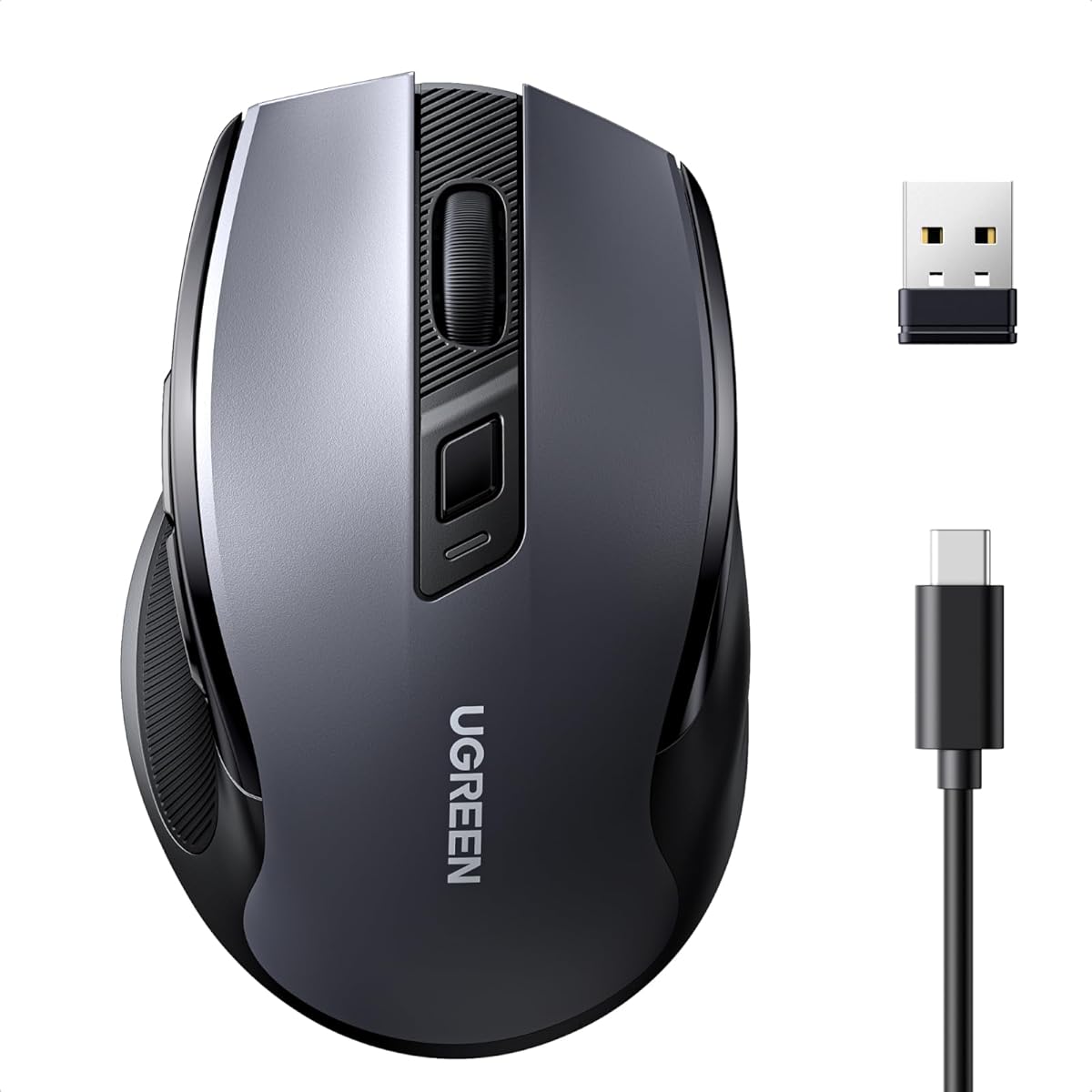
When evaluating a dual-mode wireless mouse like this UGREEN model, the key is balancing connectivity flexibility with ergonomic comfort. This specific product combines 2.4GHz and Bluetooth 5.0 with USB-C charging, which addresses modern laptop compatibility but introduces considerations about battery management and sensor performance. Buyers should assess whether the 4000 DPI optical sensor and claimed 30-day battery life align with their daily workflow demands.
Key Considerations Before Buying
- Dual-mode functionality: The UGREEN's 2.4GHz dongle offers plug-and-play reliability for desktop use, while Bluetooth 5.0 saves a USB port on laptops; test which mode provides lower latency for your primary applications.
- Ergonomics and silent clicks: This mouse features a right-handed contoured design with 'leise klick' mechanical switches; determine if the shape accommodates your grip style (palm, claw, fingertip) for extended use.
- USB-C charging convenience: Unlike mice with disposable batteries, this rechargeable model uses a modern USB-C port, but verify the charging cable length and whether you can use it while charging (wired mode).
What Our Analysts Recommend
For wireless mice in this price segment, examine build quality around the scroll wheel and side seams, as these are common failure points. Genuine reviews often mention tracking consistency on different surfaces (the UGREEN uses a standard optical sensor) and the actual feel of the 'silent' clicks—some are muffled but still audible. Check for software customization; this model appears to have DPI cycling via a button but may lack programmable macros.
Mice Market Context
Market Overview
The budget to mid-range wireless mouse market is saturated with models offering similar specs: 4000 DPI sensors, dual connectivity, and ergonomic claims. Differentiation increasingly comes from build quality, battery solutions, and cross-platform compatibility, with UGREEN positioning this model as a macOS/Windows/Linux option.
Common Issues
Users frequently report connectivity drops with cheaper 2.4GHz receivers, Bluetooth pairing frustrations with multiple devices, and 'ergonomic' shapes that cause wrist strain over time. Battery life claims often exceed real-world usage, especially with Bluetooth, which consumes more power.
Quality Indicators
Look for precise sensor tracking without acceleration, sturdy construction without creaking, and consistent button actuation. A Grade B authenticity rating suggests most feedback is reliable, but scrutinize reviews discussing long-term durability beyond the first month.
Review Authenticity Insights
Grade B Interpretation
A Grade B with an estimated 15% fake review rate indicates generally trustworthy feedback, but approximately 1 in 7 reviews may be inauthentic. For this UGREEN mouse, the adjusted rating of 4.40/5 (down from 4.78) is a more realistic performance benchmark, suggesting some inflated praise in the original score.
Trust Recommendation
Focus on verified purchase reviews that detail specific use cases, like graphic design with the 4000 DPI sensor or travel with the dual connectivity. Be skeptical of reviews that only praise generic features without mentioning the USB-C charging experience or the actual noise level of the 'leise klick'.
Tips for Reading Reviews
Prioritize German-language reviews that mention compatibility with specific Linux distributions or macOS gestures, as these are concrete usability tests. Look for mentions of the sensor's performance on glass or glossy surfaces, a common weakness for budget optical sensors.
Expert Perspective
The UGREEN mouse presents a compelling package for users seeking connectivity flexibility and modern USB-C charging at a competitive price. The high adjusted rating of 4.40/5, derived from predominantly authentic reviews, signals strong user satisfaction with core functions. However, the 4000 DPI sensor is a marketing spec; real-world value depends on its tracking accuracy and the absence of smoothing or acceleration. The ergonomic design appears tailored for medium-sized hands, but those with larger or smaller hands should note the specific dimensions.
Purchase Considerations
Weigh the convenience of dual-mode switching against potential Bluetooth latency in fast-paced applications. Consider if the silent mechanical switches, which reduce noise but may offer less tactile feedback, suit your work environment. The USB-C charging is future-proof, but confirm the included cable length meets your setup needs.
Comparing Alternatives
Shoppers should compare this model with similar Logitech M720 or Razer Orochi V2 mice, focusing on sensor performance and software customization differences.