4K Webcam Buying Guide: Focus on Autofocus, Lighting, and Mic Quality
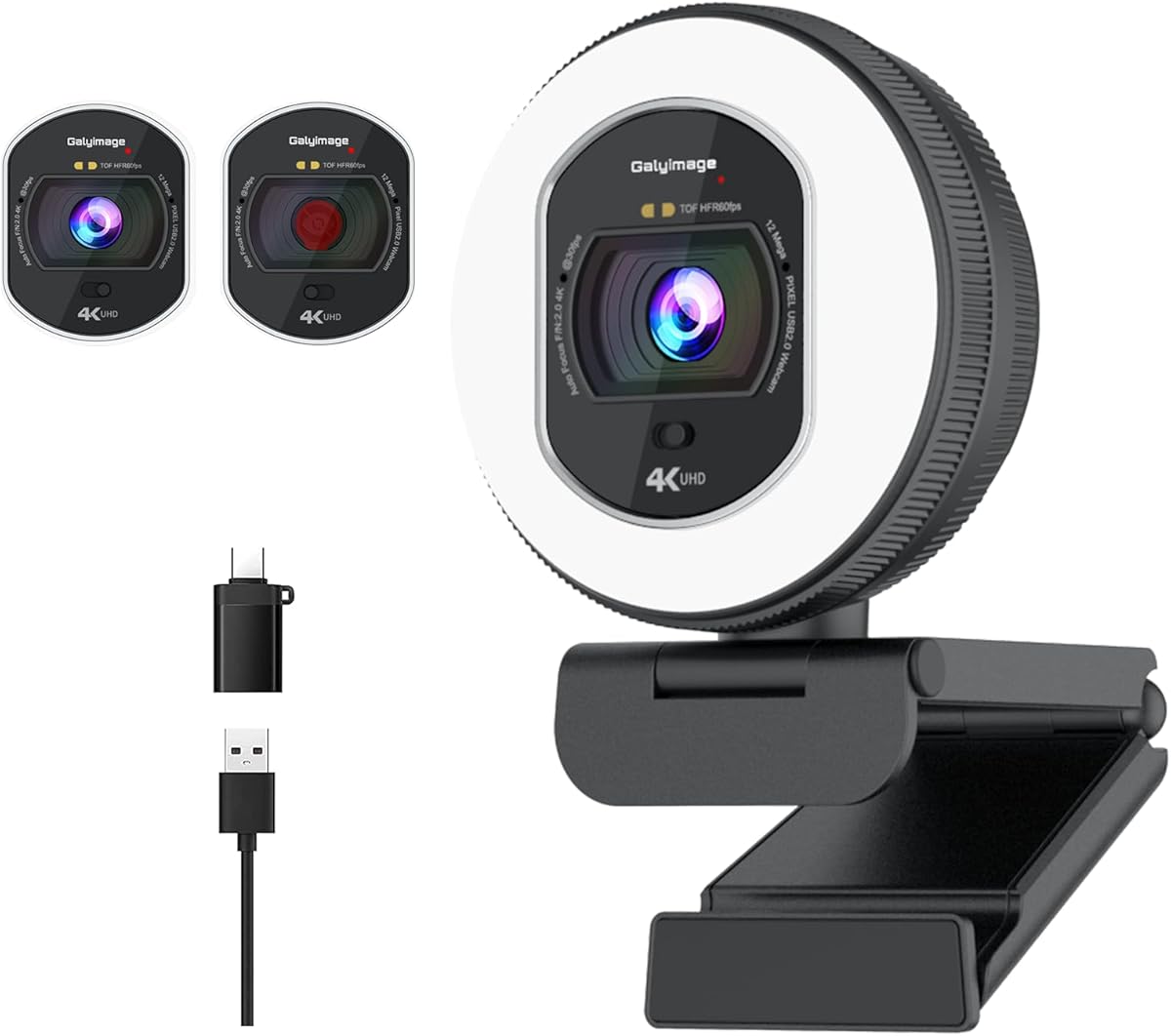
When shopping for a 4K webcam like this model with built-in light, TOF autofocus, and dual noise-canceling mics, you're investing in better video calls and streaming. But not all 4K webcams deliver true 4K at 30fps or 1080p at 60fps, so it's crucial to verify actual performance and features.
Key Considerations Before Buying
- Resolution and frame rate: This webcam offers 4K at 30fps and 1080p at 60fps, which is ideal for smooth video. Ensure your computer and software support these resolutions to avoid downscaling.
- Autofocus technology: TOF (Time-of-Flight) autofocus is faster and more accurate than contrast-detection, keeping you sharp even when moving. It's a premium feature often found in higher-end webcams.
- Field of view and lighting: A 78° FOV is narrower than some wide-angle webcams, reducing distortion but requiring proper framing. The built-in light helps in low-light conditions, but check if it's adjustable.
What Our Analysts Recommend
Look for verified customer reviews mentioning autofocus speed, low-light performance, and microphone clarity. Check if the webcam includes a privacy cover and supports USB plug-and-play. Also, ensure the software allows manual adjustments for exposure and white balance.
Webcams Market Context
Market Overview
The webcam market has exploded with remote work and streaming, offering everything from budget 1080p to high-end 4K models. Many 4K webcams now include advanced features like autofocus, built-in lights, and noise-canceling mics to stand out.
Common Issues
Common complaints include poor low-light performance, unreliable autofocus, and muffled microphones. Some 4K webcams also struggle with frame rates, dropping to 30fps at 4K, which can cause motion blur.
Quality Indicators
Quality webcams use larger sensors for better low-light, offer multiple resolution/frame rate options, and have robust build quality. Brands with good software support and firmware updates are preferable. Look for certifications like Zoom or Skype compatibility.
Review Authenticity Insights
Grade B Interpretation
A Grade B authenticity rating with an estimated 15% fake reviews means most reviews are genuine, but be cautious of overly positive or vague ones. The adjusted rating of 4.40/5 is still strong, indicating real user satisfaction.
Trust Recommendation
Trust the adjusted rating more than the raw 4.80/5, as it filters out potential fakes. Focus on detailed reviews that mention specific use cases, like streaming or business calls, and check for patterns in criticism.
Tips for Reading Reviews
Look for reviews with photos or videos showing actual performance, and read both positive and negative ones. Pay attention to comments about autofocus reliability and microphone quality, as these are common pain points.
Expert Perspective
This 4K webcam packs impressive features like TOF autofocus, dual noise-canceling mics, and a built-in light, which are rare at this price point. The high adjusted rating suggests it performs well, but the 15% fake review estimate means you should verify claims. The 78° FOV is balanced for personal use, though not ideal for group settings.
Purchase Considerations
Consider your lighting conditions and whether you need 60fps at 1080p for smooth motion. Check compatibility with your setup and whether the built-in light is sufficient. The privacy cover is a nice bonus for security.
Comparing Alternatives
Compare with other 4K webcams like Logitech Brio or Razer Kiyo Pro, which offer similar features but may have different strengths in low-light or software.