
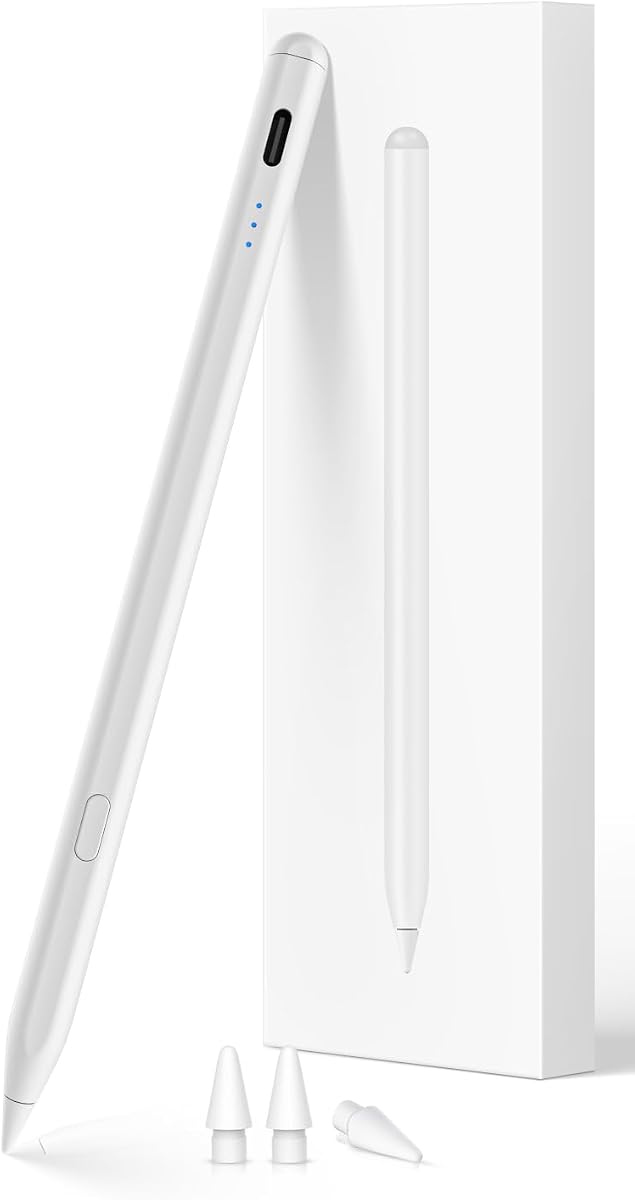
Find the Perfect iPad Stylus: USB-C, Palm Rejection, and Tilt Sensitivity
When shopping for a stylus for your iPad, especially one compatible with models from 2018 to 2024, you need to consider more than just price. This stylus offers USB-C fast charging, palm rejection, and tilt sensitivity, making it a versatile tool for note-taking, drawing, and navigation. Understanding how these features work with your specific iPad model is key to a satisfying purchase.
Key Considerations Before Buying
- Compatibility: Ensure the stylus explicitly lists your iPad model and iPadOS version. This stylus covers a wide range from iPad 6th gen to iPad Pro M4, but double-check that your specific model and software are supported, as older iPads may lack full feature support.
- Charging and Battery Life: Look for USB-C fast charging, which this stylus offers, and consider how long a full charge lasts. A stylus that charges quickly and holds a charge for hours is essential for daily use without interruptions.
- Palm Rejection and Tilt Sensitivity: These features are critical for a natural writing and drawing experience. Palm rejection lets you rest your hand on the screen, and tilt sensitivity allows you to shade and vary line thickness, mimicking a real pencil.
What Our Analysts Recommend
In this category, quality is often indicated by low latency (the lag between your stroke and the on-screen line), consistent palm rejection without accidental marks, and durable tips that don't wear out quickly. Also, check for a reliable Bluetooth connection and whether the stylus integrates with iPadOS features like QuickNote or scribble.
Stylus Pens Market Context
Market Overview
The iPad stylus market has expanded significantly, with many third-party options offering features once exclusive to Apple's Pencil. This stylus targets a broad audience by supporting iPads from 2018 to 2024, including the latest M4 models, at a fraction of the cost of the original. The demand is driven by users who want precision for art and note-taking without the premium price tag.
Common Issues
Common issues in this category include inconsistent palm rejection, especially on older iPad models, and connectivity problems that cause the stylus to disconnect. Some users also report that tilt sensitivity is less accurate than the Apple Pencil, and that the tip wears out faster, requiring replacement.
Quality Indicators
High-quality styluses typically have a seamless pairing process, a responsive tip with minimal pressure lag, and a build that feels solid. Look for products with good customer support and available replacement tips, as these are signs of a manufacturer that stands behind its product. Also, check for certifications like CE or RoHS, which indicate safety and quality standards.
Review Authenticity Insights
Grade B Interpretation
The Grade B rating and 10% estimated fake review percentage suggest that while the majority of reviews are genuine, a small but notable portion may be incentivized or artificial. This is common in the electronics accessory market, but it means you should focus on detailed, balanced reviews that mention specific pros and cons rather than overly enthusiastic or vague ones.
Trust Recommendation
Given the 4.67/5 rating (adjusted to 4.40/5) and the authenticity grade, you can trust that most users are satisfied, but you should read a mix of positive and negative reviews to get a full picture. Pay attention to reviews from verified purchasers who mention their iPad model and usage context, as these are more likely to be authentic. Also, consider the adjusted rating, which is still high, indicating overall quality.
Tips for Reading Reviews
When reading reviews for this stylus, look for comments about specific iPad models and whether the stylus works as expected. Be cautious of reviews that are overly generic or that praise the product without mentioning any drawbacks. Also, check for reviews that mention the stylus's performance in real-world tasks like drawing or note-taking, as these are more informative than simple 'it works' statements.
Expert Perspective
This stylus appears to be a solid choice for iPad users seeking an affordable alternative to the Apple Pencil. The high user rating, even after adjustment, suggests that it delivers on its promises of USB-C fast charging, palm rejection, and tilt sensitivity. The broad compatibility is a significant advantage, making it a versatile option for households with multiple iPads. However, the 10% fake review rate is a slight red flag, so I recommend verifying the product's performance through independent reviews or hands-on testing.
Purchase Considerations
Before purchasing, consider your primary use case: if you are a professional artist, you might notice differences in pressure sensitivity compared to the Apple Pencil, but for note-taking and casual drawing, this stylus is likely more than adequate. Also, factor in the cost of replacement tips and whether the stylus's build quality matches your expectations. If you have an older iPad, check for firmware updates that might affect compatibility.
Comparing Alternatives
While this stylus is compelling, it's worth comparing it with the Apple Pencil (if budget allows) and other third-party options like Logitech Crayon or other USB-C styluses. Each has its own strengths in terms of latency, pressure curves, and software integration, so choose based on your specific needs.


