Choosing a reliable monochrome laser printer for home office and small business use
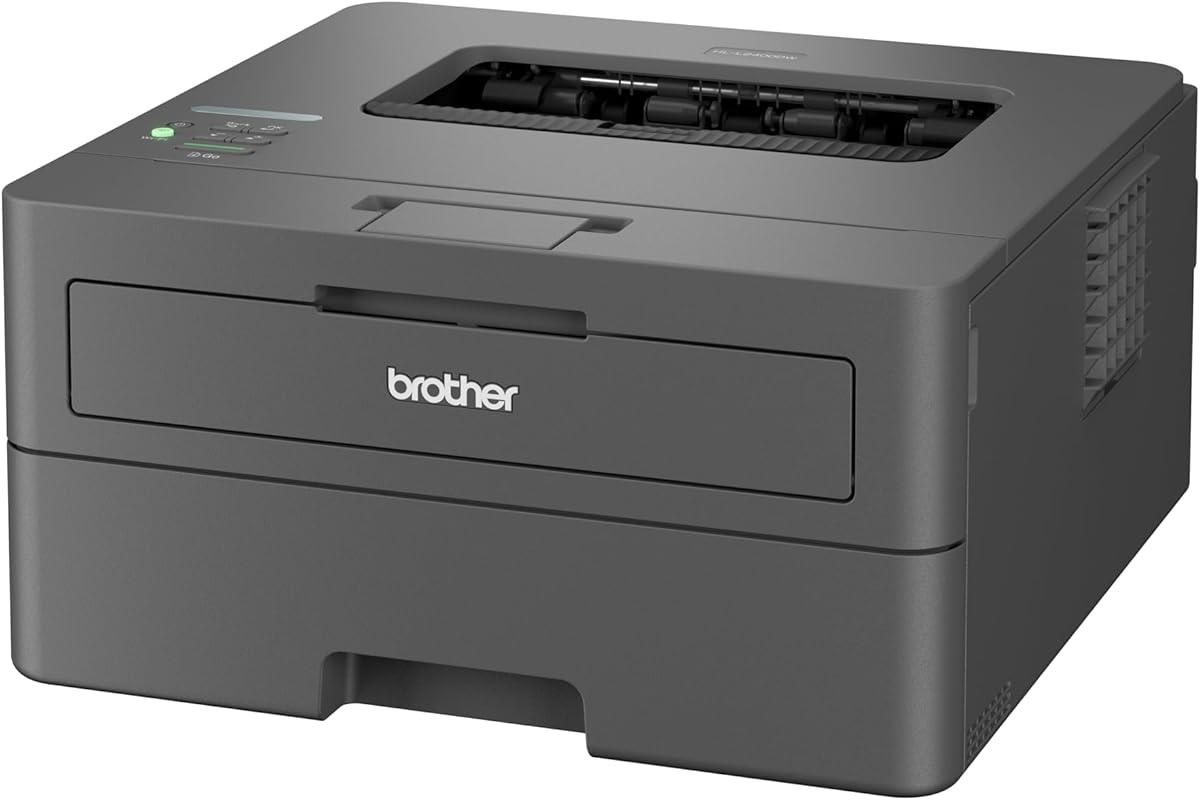
The Brother HL-L2400DW represents a specific segment of laser printers: compact, monochrome workhorses designed for moderate-volume printing. This model combines essential features like automatic duplex printing and Wi-Fi connectivity with Brother's reputation for reliability, making it a contender for users who prioritize consistent performance over color capability. When evaluating this printer, focus on its real-world performance with standard office documents rather than photo-quality output.
Key Considerations Before Buying
- The included starter toner cartridge with a 700-page yield provides immediate value, but calculate long-term costs by researching prices for the TN-241 replacement cartridge to understand your true cost-per-page.
- Automatic duplex (double-sided) printing is a significant paper-saving feature, but verify its speed and reliability in reviews, as some printers handle this function more efficiently than others.
- Wi-Fi connectivity offers placement flexibility, but ensure your network environment supports stable connections, as some users report occasional drop-offs with certain router configurations.
What Our Analysts Recommend
For monochrome laser printers like the HL-L2400DW, key quality indicators include consistent text sharpness (measured in dpi), first-page-out speed (crucial for small jobs), and paper handling reliability with various weights. Pay attention to driver software stability and the intuitiveness of the physical control panel for routine tasks like Wi-Fi setup or toner level checks.
Laser Printers Market Context
Market Overview
The A4 monochrome laser market is fiercely competitive, with Brother, HP, and Canon dominating the home office segment. Current trends emphasize connectivity (Wi-Fi, mobile printing) and lower total cost of ownership, shifting focus from initial purchase price to long-term cartridge costs. Printers in this class increasingly serve as personal devices rather than shared network resources.
Common Issues
Common pain points include Wi-Fi setup complexities with certain operating systems, paper jams related to humidity-sensitive paper, and occasional driver conflicts after system updates. Some users also report that the advertised page yields are optimistic under real-world mixed-document printing conditions.
Quality Indicators
Look for printers with straightforward maintenance procedures, accessible user-replaceable parts like the imaging drum (often separate from the toner in Brother models), and robust driver support across multiple OS versions. A solid build quality that minimizes plastic creaking during operation often correlates with better internal component durability.
Review Authenticity Insights
Grade B Interpretation
A Grade B authenticity rating with an estimated 15% fake review percentage suggests generally trustworthy feedback with moderate noise. For the HL-L2400DW, this means most reviews reflect genuine experiences, but shoppers should be slightly more critical of overly effusive 5-star reviews that lack specific operational details.
Trust Recommendation
Focus on the 4.10 adjusted rating (excluding suspicious reviews) as a more reliable performance indicator than the raw 4.44 average. Pay particular attention to 3- and 4-star reviews for balanced perspectives on this Brother model's Wi-Fi performance and long-term reliability with the TN-241 cartridge.
Tips for Reading Reviews
Prioritize reviews that mention specific document types (PDFs, web pages, spreadsheets), paper usage patterns, and connectivity details over generic praise. Look for mentions of the LC-Display's usability for status checks and the automatic document feeder's performance if you plan to scan multi-page documents.
Expert Perspective
The Brother HL-L2400DW presents a compelling value proposition for users needing reliable black-and-white printing with duplex and wireless capabilities. Its 4.10 adjusted rating from authenticated reviews indicates solid satisfaction, particularly regarding print quality and the included toner value. The model's strengths appear to be straightforward operation and consistent output, though some users note the Wi-Fi implementation could be more robust. Brother's reputation for durable hardware in this price segment adds credibility to its longevity claims.
Purchase Considerations
This printer makes most sense for users printing 100-500 pages monthly who value duplex printing's paper savings and have a stable Wi-Fi network. Consider your need for color printing, as this monochrome-only device cannot be upgraded later. Also evaluate whether Brother's toner subscription service aligns with your usage patterns for potential cost savings.
Comparing Alternatives
Shoppers should compare the HL-L2400DW against similar monochrome lasers from HP's LaserJet Pro series and Canon's imageCLASS line, paying close attention to long-term cartridge costs and mobile printing app functionality.