Budget AI Laptop: Is the Celeron Quad-Core Enough for Office 365?
When shopping for an affordable 15.6-inch laptop like this one, you're likely balancing cost against performance for everyday tasks like web browsing and Microsoft Office. This model's inclusion of Office 365 and a 7000mAh battery suggests a focus on productivity and portability, but the Celeron Quad-core processor means you should set realistic expectations for multitasking and heavier applications.
Key Considerations Before Buying
- Processor Performance: The Celeron Quad-core is a low-power chip best suited for basic tasks like word processing, email, and video streaming. Avoid expecting it to handle demanding software like video editing or complex spreadsheets with large datasets.
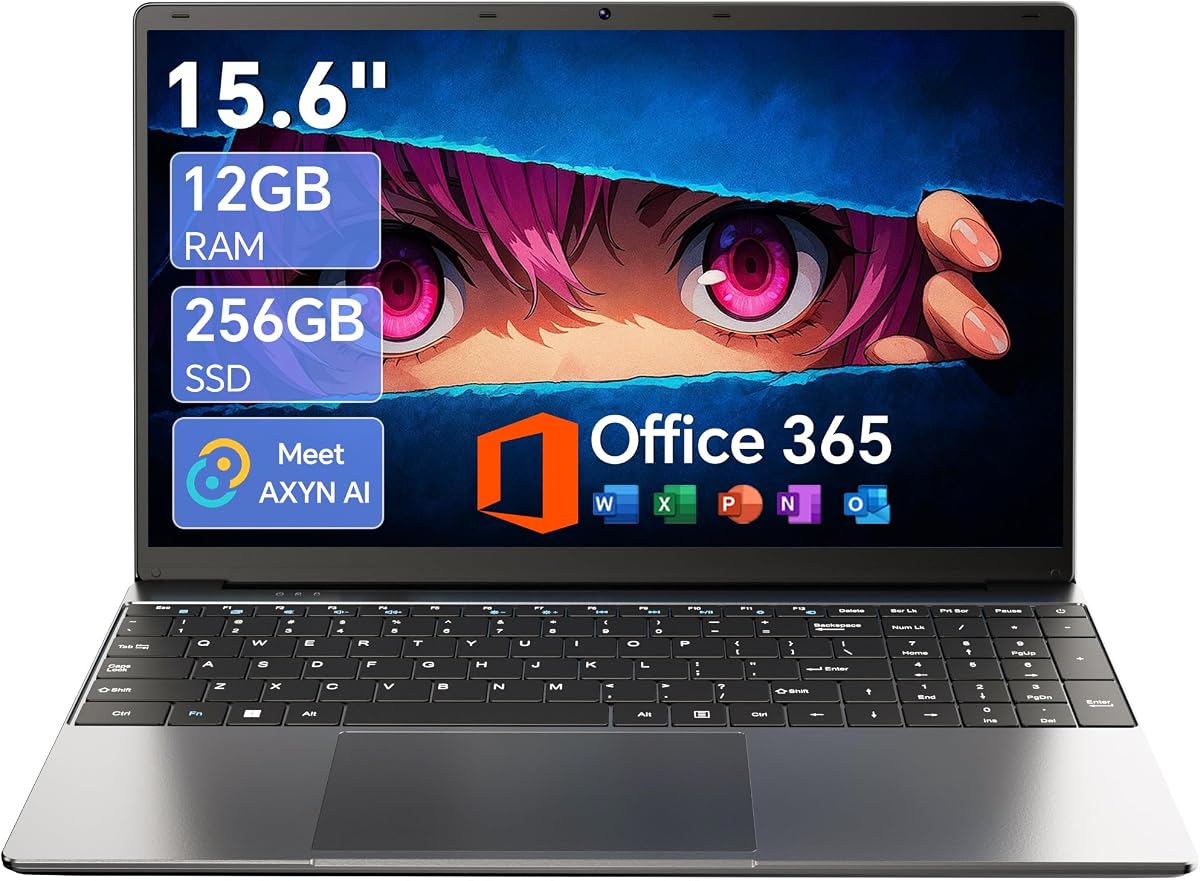
- Memory and Storage: With 12GB of RAM and a 256GB SSD, this laptop offers a decent balance for budget buyers. The RAM is sufficient for moderate multitasking, but the SSD storage may fill quickly if you plan to store many files locally; consider external cloud or drive options.
- Battery Life and Portability: The 7000mAh battery is a standout feature for a budget laptop, promising extended use for classes or work sessions. However, the 15.6-inch screen and 180° foldable hinge add to its versatility but may make it less compact for frequent travel.
What Our Analysts Recommend
In this price range, prioritize build quality and warranty, as budget laptops can vary in durability. Check for a full-featured Type-C port, which adds flexibility for charging and peripherals, and ensure the keyboard and trackpad feel comfortable for extended typing sessions.
Traditional Laptops Market Context
Market Overview
The traditional laptop market in Canada is saturated with budget options targeting students and remote workers, often bundling Office 365 to add value. This segment competes heavily on price, with many models using Celeron or similar entry-level processors to keep costs under $500 CAD.
Common Issues
Common complaints among budget laptops include slower boot times with Celeron chips, limited upgradeability (often soldered RAM), and shorter lifespans due to lower-quality components. Users also report that integrated graphics struggle with even casual gaming or HD video editing.
Quality Indicators
Quality in this category is signaled by a solid battery capacity (like 7000mAh), a responsive SSD (NVMe preferred), and a reliable warranty from the seller. A 180° hinge suggests better design for collaboration, while a full-featured Type-C port indicates modern connectivity standards.
Review Authenticity Insights
Grade B Interpretation
The Grade B rating with a 15% estimated fake review rate indicates that while most reviews are authentic, a notable minority may be fabricated. This is common for budget electronics where sellers sometimes inflate ratings to compete, so you should scrutinize a handful of reviews for overly generic praise.
Trust Recommendation
Given the high authentic rating (4.60/5 adjusted) and verified purchases, you can generally trust the positive feedback about basic usability and battery life. However, pay extra attention to any negative reviews about performance or build quality, as they are more likely to reflect real issues.
Tips for Reading Reviews
When reading reviews for this laptop, focus on those that mention specific tasks like 'Office 365 performance' or 'battery lasted X hours' rather than vague statements like 'great laptop.' Look for patterns in complaints about speed or screen quality across multiple reviews.
Expert Perspective
This laptop offers solid value for its price point, especially with the inclusion of Office 365 and a large battery, making it a viable option for students or light office work. However, the Celeron processor limits its versatility, so power users should look elsewhere. The high authentic rating suggests most buyers are satisfied with its intended use, but the 15% fake review rate warrants caution when reading overly enthusiastic feedback.
Purchase Considerations
Weigh your need for portability and battery life against the processor's limitations. If your tasks are strictly browsing, email, and document editing, this is a good fit; for any demanding software, consider spending more on an Intel Core or AMD Ryzen model.
Comparing Alternatives
Compare this with similarly priced laptops featuring Intel Pentium or AMD Athlon processors, which may offer slightly better performance without a significant price jump.