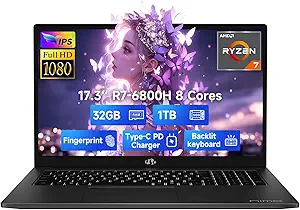
Navigating Budget Laptops: Celeron Performance and Real-World Needs
When considering a budget-friendly laptop like this 15.6-inch model with a Celeron quad-core processor, it's crucial to match expectations with real-world performance. This machine, tailored for students and business users, emphasizes core essentials like a full-featured USB-C port, a long-lasting 7000mAh battery, and a 180° lay-flat hinge, making it a practical choice for basic tasks and portability.
Key Considerations Before Buying
- Processor Power: The Celeron quad-core CPU is designed for light tasks such as web browsing, document editing, and streaming, not for intensive multitasking or gaming. Ensure your daily workload aligns with this entry-level performance to avoid frustration.
- Memory and Storage: With 12GB of RAM and a 256GB SSD, this configuration offers a sweet spot for budget laptops—enough memory for smooth multitasking with several tabs and apps open, and solid-state speed for quick boot-ups and file access.
- Battery Life and Portability: The 7000mAh battery is a standout feature, promising extended usage on a single charge, ideal for students or professionals on the go. The 180° hinge adds flexibility for sharing screens or presentations, but also consider the laptop's overall weight for daily carry.
What Our Analysts Recommend
For a budget laptop, prioritize build quality and port selection—a full-featured Type-C port here is a plus for charging and data transfer. Check that the display offers adequate brightness and viewing angles for your environment, and verify that the included Office 365 subscription is a full version, not a trial, to maximize value.
Traditional Laptops Market Context
Market Overview
The budget laptop segment is highly competitive, with many models targeting students and professionals who need a functional device without a premium price tag. Features once reserved for high-end machines, like SSDs and USB-C connectivity, are now common, but processor performance often remains the key differentiator.
Common Issues
Common concerns in this category include sluggish performance under heavy loads, limited upgradeability, and shorter battery life than advertised. Some budget laptops also suffer from dim screens or poor build quality, so it's important to verify specs and read user experiences closely.
Quality Indicators
Look for models with at least 8GB of RAM and an SSD for decent responsiveness, and check for a robust warranty or return policy. Positive reviews that mention specific use cases, like note-taking or light office work, can signal a reliable performer for your needs.
Review Authenticity Insights
Grade B Interpretation
With a Review Authenticity Grade of B and an estimated 10% fake review rate, the feedback for this laptop is largely trustworthy. The adjusted rating of 4.50 out of 5, down from 4.78, suggests that while most reviews are genuine, a small portion may be inflated, so focus on detailed, verified purchase comments.
Trust Recommendation
Given the high proportion of verified purchases and specific use-case descriptions (e.g., for a father replacing a tablet, for kids' daily use), you can generally trust the positive sentiment. However, cross-reference any standout claims about performance with independent benchmarks to ensure they align with the Celeron processor's capabilities.
Tips for Reading Reviews
When reading reviews for this laptop, prioritize those that describe real-world tasks like running Office 365, browsing, or streaming. Look for mentions of battery life in hours and any comments on the keyboard or screen quality, as these details offer practical insight beyond star ratings.
Expert Perspective
This 15.6-inch laptop delivers solid value for its price point, particularly with its generous 12GB RAM, 256GB SSD, and Office 365 inclusion. The 7000mAh battery and 180° hinge are practical additions that enhance usability for students and business users. However, the Celeron processor limits its performance to basic tasks, so it's best suited for those who prioritize affordability and battery life over processing power.
Purchase Considerations
If your workflow involves heavy multitasking, video editing, or gaming, consider investing in a laptop with a more powerful processor, even if it means compromising on RAM or storage. For straightforward tasks like email, word processing, and web browsing, this model offers a compelling balance of features and cost.
Comparing Alternatives
Shoppers should compare this model with other budget laptops in the same price range, such as those with AMD Athlon or Intel Pentium processors, to see which offers the best performance-to-feature ratio for their specific needs.