
Triple-Display Docking Stations: Match Ports to Your Laptop Before You Buy
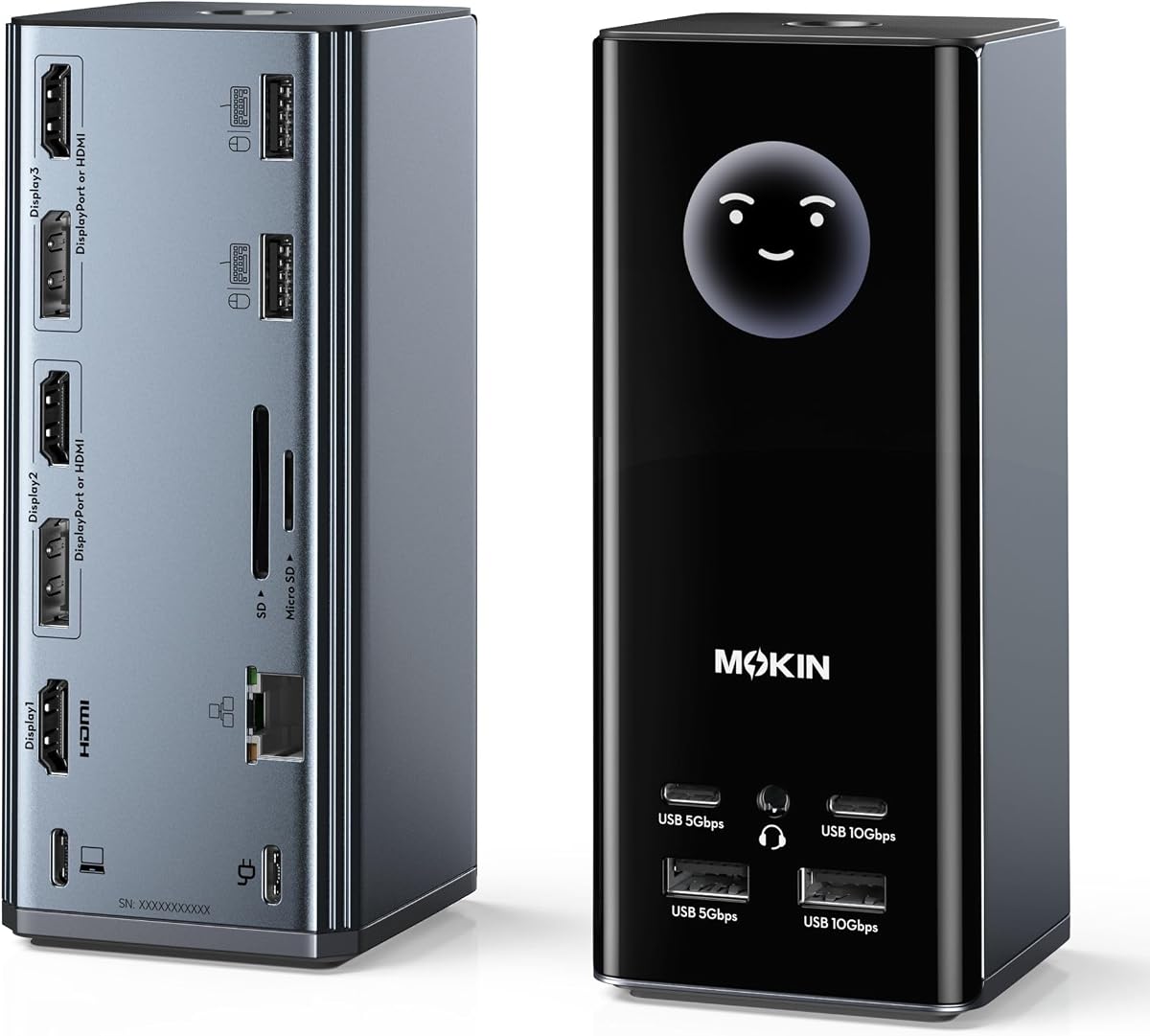
A triple-monitor USB-C dock like the MOKiN model promises to turn a laptop into a three-screen workstation, but its real-world capability depends on your laptop's USB-C port supporting DisplayPort Alt Mode and on which video outputs the dock actually provides. With a 4.56/5 rating across 5,184 reviews, this dock clearly works for many buyers—yet the 4.20 adjusted score signals that not every setup goes smoothly.
Key Considerations Before Buying
- Confirm your laptop's USB-C port supports DisplayPort Alt Mode and power delivery; many budget laptops only carry data over USB-C, which means the video outputs on this dock won't work at all.
- Check the specific video port mix (HDMI and DisplayPort combinations) against your monitors' inputs, and note that triple-display output often requires DisplayLink drivers or specific port groupings rather than plug-and-play.
- Plan for power: a bus-powered dock draws from your laptop, so verify whether this MOKiN unit includes or requires a separate power adapter to keep your laptop charged while driving three displays.
What Our Analysts Recommend
Quality triple-display docks use clearly labeled ports, include sturdy braided cables, and specify maximum resolution and refresh rate per output (e.g., 4K at 30Hz vs. 60Hz). Look for driver guidance and compatibility lists in the listing, since vague specs often mean the third display runs at reduced resolution or refresh rate.
Docking Stations Market Context
Market Overview
USB-C docking stations have exploded in popularity as laptops shed ports, and triple-display models like this MOKiN sit in a crowded mid-range segment where prices range from roughly $60 to $250. Many units share similar chipsets, so differentiation often comes down to port selection, build quality, and how honestly the manufacturer documents display limitations.
Common Issues
The most frequent complaints in this category are docks that won't drive all three monitors simultaneously, intermittent display dropouts, and overheating during long sessions. Buyers also report confusion when a dock's HDMI port is limited to 30Hz at 4K or when the third display requires a driver install that isn't mentioned upfront.
Quality Indicators
Reputable docks publish a compatibility matrix by laptop brand, state per-port resolution and refresh limits, and include a powered adapter rather than relying solely on bus power. Metal housings and reinforced cable strain relief are practical signs of durability in a device that gets plugged and unplugged daily.
Review Authenticity Insights
Grade B Interpretation
A Grade B authenticity rating with an estimated 15% fake review rate means the review pool is mostly trustworthy but not pristine—roughly one in seven reviews may be incentivized or otherwise unreliable. The drop from 4.56 to a 4.20 adjusted rating suggests the genuine reviews are somewhat less glowing than the headline score implies.
Trust Recommendation
Treat the 4.56 rating as an optimistic ceiling and the 4.20 adjusted figure as closer to reality; the product still scores well, but expect a meaningful minority of buyers to hit setup friction. Read the critical reviews first, since the analysis notes a notably specific and balanced critical review—exactly the kind of feedback worth weighting.
Tips for Reading Reviews
For docking stations, prioritize reviews that name the reviewer's laptop model and monitor setup, because compatibility is the dominant variable. Discount short five-star reviews that only praise packaging or shipping, and look for reviewers who describe multi-week use and whether all three displays stayed stable.
Expert Perspective
The MOKiN triple-display dock appears to be a solid mid-market choice for buyers whose laptops support DisplayPort Alt Mode and who need HDMI/DisplayPort flexibility for two or three monitors. The 5,184-review base is large enough to be informative, and a 4.20 adjusted rating indicates genuine satisfaction alongside real complaints. The authenticity analysis found mostly genuine reviews with a balanced critical voice, which supports treating the feedback as broadly credible. The main risk isn't the dock's core function but compatibility mismatches with older or budget laptops.
Purchase Considerations
Weigh your laptop's USB-C capabilities and your monitors' inputs before ordering, and budget for a powered adapter if the dock doesn't include one. If you need three displays at high refresh rates or 4K/60Hz, confirm the dock's per-port limits rather than assuming; if you mainly need extra USB and dual displays, this unit likely covers it.
Comparing Alternatives
Compare this MOKiN against DisplayLink-based docks if your laptop lacks DisplayPort Alt Mode, and against powered Thunderbolt docks if you need guaranteed triple 4K output.


