
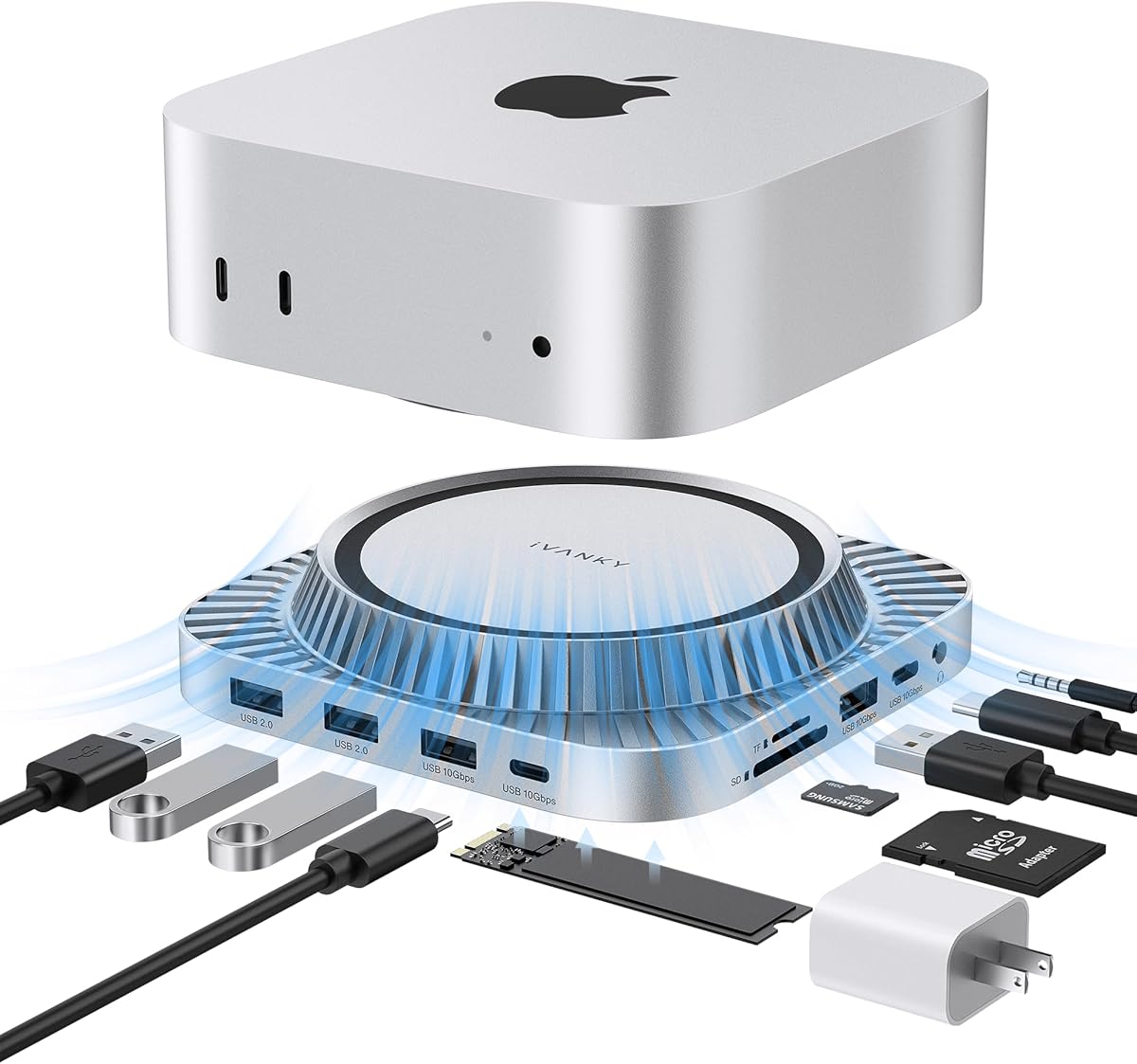
Maximize Your Mac Mini M4: The 13-in-1 Hub with NVMe SSD Expansion
For Mac Mini M4 owners, a docking station isn't just about adding ports—it's about transforming a compact desktop into a powerhouse workspace. The iVANKY 13-in-1 hub stands out by integrating an M.2 NVMe SSD enclosure, allowing you to expand internal storage without sacrificing speed, while also delivering HDMI 4K at 120Hz for high-refresh-rate displays.
Key Considerations Before Buying
- Look for a hub that includes an M.2 NVMe slot, as this lets you add fast internal-like storage to your Mac Mini M4 without using an external drive. The iVANKY model supports this, but ensure the slot is compatible with your preferred SSD size (e.g., 2280).
- Check for HDMI 2.1 support if you plan to connect a 4K monitor at 120Hz, which is critical for smooth video editing or gaming. The iVANKY hub offers this, but many cheaper hubs cap at 60Hz.
- Evaluate USB data transfer speeds: USB 10 Gbit/s ports (like those on this hub) are essential for fast file transfers with external drives or SSDs, avoiding bottlenecks when moving large media files.
What Our Analysts Recommend
Quality hubs for the Mac Mini M4 should feature robust construction to support the computer's weight, especially if used as a stand. Also, verify thermal management—an integrated SSD slot can generate heat, so look for models with ventilation or aluminum casing to dissipate heat effectively.
Docking Stations Market Context
Market Overview
The docking station market for Apple's M4 Mac Mini is rapidly evolving, as users seek to overcome the device's limited port selection (only two Thunderbolt 4 ports on the base model). Products like the iVANKY 13-in-1 aim to consolidate connectivity, storage, and display expansion into a single, desk-friendly unit, competing with brands like CalDigit and Satechi.
Common Issues
Common concerns in this category include compatibility with the Mac Mini M4's new form factor and power delivery—some hubs may not fit snugly or may draw too much power from the USB-C ports. Additionally, overheating from integrated SSDs can throttle performance, so effective cooling is a must.
Quality Indicators
High-quality hubs often feature aluminum construction for heat dissipation and durability, support for the latest standards (HDMI 2.1, USB 3.2 Gen 2), and independent power supplies to avoid overloading the Mac Mini. Verified compatibility with macOS updates is also a key sign of reliability.
Review Authenticity Insights
Grade B Interpretation
The B grade with a 10% estimated fake review rate suggests that while most reviews are genuine, a small portion may be incentivized or unreliable. This is typical for popular Amazon electronics, but the high 4.80/5 rating (adjusted to 4.60) remains strong even after accounting for potential fakes.
Trust Recommendation
You can trust the majority of positive feedback, especially since all reviews are verified purchases and contain specific usage details. However, focus on reviews that mention real-world scenarios (e.g., 'works with my Mac Mini M4 Pro' or 'SSD speeds tested') to gauge authenticity.
Tips for Reading Reviews
When reading reviews for this hub, look for those that discuss heat management during extended use or compatibility with specific SSDs. Be wary of overly generic praise or reviews that don't mention the Mac Mini M4 model, as they may be from unrelated products.
Expert Perspective
The iVANKY 13-in-1 hub offers a compelling all-in-one solution for Mac Mini M4 users, combining essential port expansion with internal SSD storage—a rare feature at this price point. Its 4.60 adjusted rating indicates genuine user satisfaction, particularly for its 4K@120Hz output and fast USB speeds. The main trade-off is the 10% fake review rate, which slightly clouds the data, but the consensus from verified buyers is positive, especially for those needing extra storage without cluttering their desk.
Purchase Considerations
If you prioritize seamless storage integration and high-refresh-rate display support, this hub is a strong candidate. However, consider whether you need all 13 ports or if a simpler, cheaper model would suffice—some users report that the SD card slot can be finicky, so check recent reviews for updates.
Comparing Alternatives
Shoppers should compare the iVANKY with the Satechi Stand & Hub for Mac Mini, which offers a similar design but with USB-C data ports instead of an SSD slot, depending on your storage needs.


