
Dual USB-C and USB-A Flash Drive: What to Know Before Buying
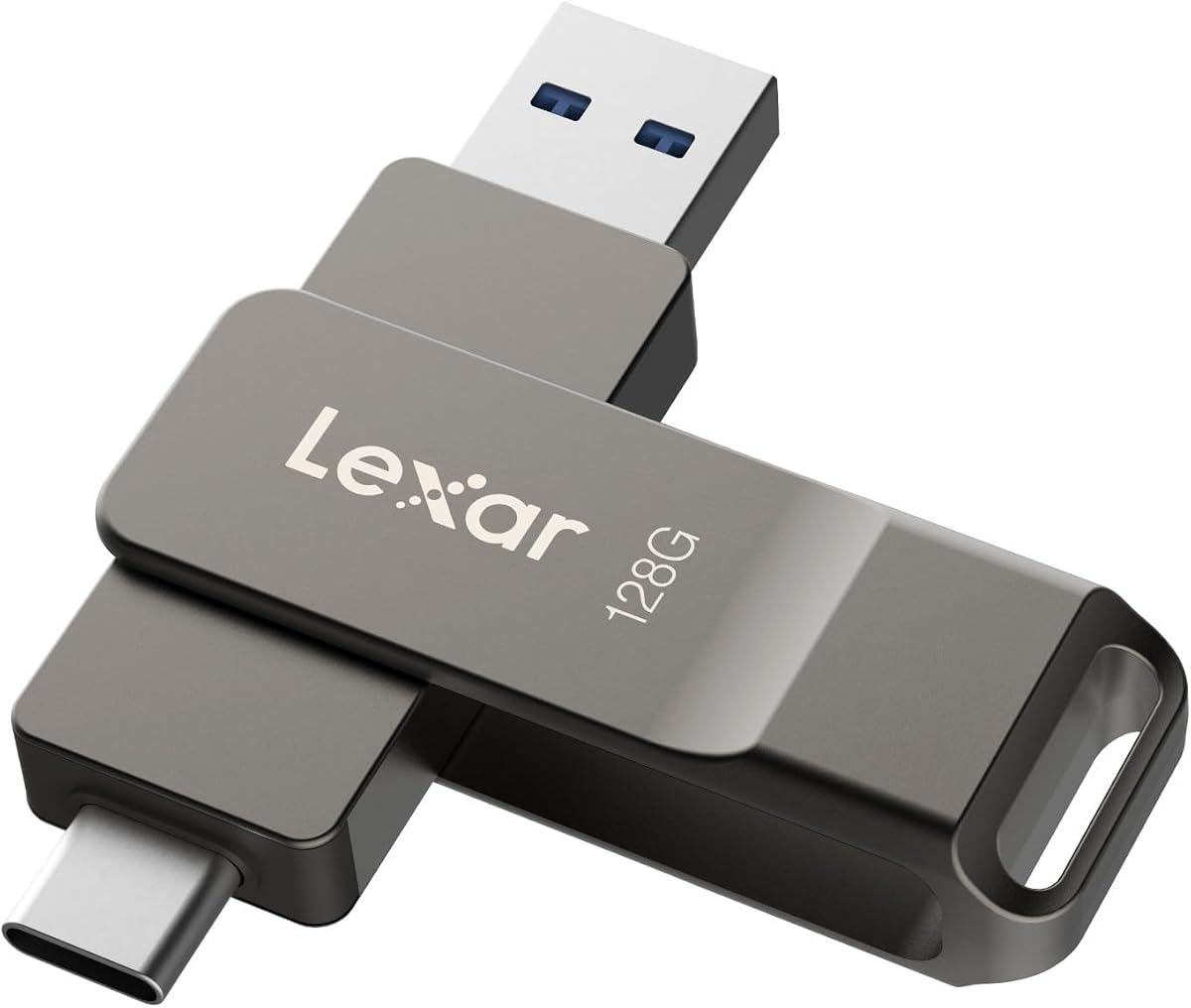
The Lexar D40E 128GB is a dual-connector flash drive with both USB Type-C and USB 3.2 Gen 1 Type-A plugs, designed for moving files between modern phones, tablets, and laptops without an adapter. With a titanium grey metal housing and a 4.67-star average across nearly 12,000 reviews, it's a popular choice for Canadians who want one drive that works everywhere.
Key Considerations Before Buying
- Connector compatibility: The USB-C plug fits modern smartphones, tablets, and MacBooks, while the retractable USB-A plug covers older laptops, desktops, and car stereos. Confirm your devices support USB 3.2 Gen 1 (5Gbps) to get the advertised speeds; USB 2.0 ports will bottleneck performance.
- Real-world transfer speeds: USB 3.2 Gen 1 is a 5Gbps interface, but actual read/write speeds depend on the drive's flash memory. Expect noticeably faster transfers than USB 2.0 drives, but not the 10Gbps or 20Gbps of higher-tier USB 3.2 Gen 2 or Gen 2x2 models.
- Build and portability: The titanium grey metal casing resists scratches and fingerprints, and the retractable design protects the connectors when not in use. However, the drive lacks a lanyard loop or cap tether, so it can be easy to misplace if you're not careful.
What Our Analysts Recommend
When shopping for a dual-connector flash drive, prioritize verified transfer speed ratings (not just interface claims), a sturdy housing that won't crack under pressure, and a design that keeps both connectors protected. Also check whether the drive includes any data-recovery or encryption software, as these can add value for sensitive files.
USB Flash Drives Market Context
Market Overview
The USB flash drive market is mature but evolving, with dual USB-C and USB-A drives becoming the standard for cross-device compatibility as laptops and phones drop USB-A ports. Prices for 128GB drives have fallen to the $15–$25 range, making them an impulse buy, but speed and build quality vary widely.
Common Issues
A frequent complaint among flash drive buyers is that advertised speeds refer to the USB interface, not the drive's actual read/write performance, leading to disappointment when transferring large files. Other common issues include flimsy plastic housings that crack, connectors that become loose over time, and drives that run hot during extended use.
Quality Indicators
Look for drives from established brands like Lexar, SanDisk, or Samsung that publish realistic speed benchmarks and offer limited warranties. Metal casings, retractable or capless designs, and positive long-term reviews (6+ months of use) are good signs of durability. Avoid no-name drives with suspiciously low prices, as they often use inferior flash memory.
Review Authenticity Insights
Grade A Interpretation
An authenticity grade of A with an estimated 8% fake reviews is excellent for a product with nearly 12,000 ratings. This means the overwhelming majority of reviews reflect genuine customer experiences, and the adjusted rating of 4.50/5 is only slightly lower than the raw 4.67/5, suggesting minimal manipulation.
Trust Recommendation
You can trust the overall sentiment of these reviews, but as with any popular product, skim the most recent reviews to catch any batch-specific issues. Focus on detailed reviews that mention specific use cases (e.g., transferring photos from a phone, using with a car stereo) rather than generic praise.
Tips for Reading Reviews
Pay attention to reviews that discuss transfer speeds with actual file sizes and times, as these are harder to fake. Also look for comments on build quality and longevity, and be wary of reviews that only say 'works great' without context. Cross-reference with professional reviews for a balanced view.
Expert Perspective
The Lexar D40E 128GB is a solid mid-range dual-connector flash drive that balances price, performance, and convenience. Its high review count and strong adjusted rating indicate reliable performance for everyday file transfers, and the metal casing adds a premium feel. However, it's not the fastest drive on the market, so power users may want to consider USB 3.2 Gen 2 models.
Purchase Considerations
If you frequently move files between USB-C phones and USB-A computers, this drive's dual connectors will save you the hassle of carrying adapters. Consider whether you need faster speeds for large video files; if so, look for drives with higher write speeds. Also, check the warranty length—Lexar typically offers a limited lifetime warranty on many drives.
Comparing Alternatives
Before buying, compare with similar dual-connector drives from SanDisk, Samsung, and Kingston to ensure you're getting the best speed and durability for your budget.


