
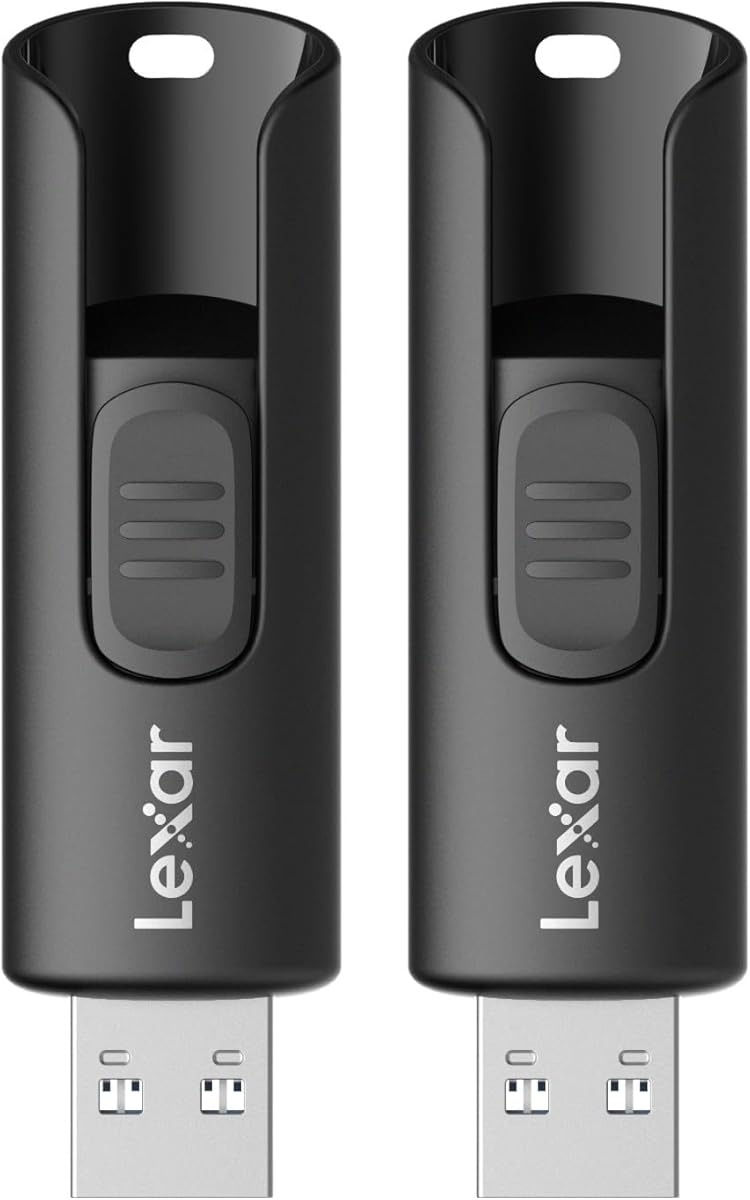
Choosing a reliable 2-pack USB drive for everyday PC and Mac file transfers
When considering this Lexar A30E 2-pack, focus on its USB 3.2 Gen 1 interface and 100MB/s speed rating for practical file movement, not intensive workloads. The 128GB capacity per drive makes it suitable for document backups, media libraries, or system recovery images rather than massive video projects. The two-drive configuration offers convenient separation for work/personal files or primary/backup copies.
Key Considerations Before Buying
- The 100MB/s maximum speed is adequate for documents and photos but will feel slow transferring large video files; manage expectations for multi-gigabyte transfers.
- With USB 3.2 Gen 1 (formerly USB 3.0), ensure your computer has compatible blue-tinted ports to achieve advertised speeds; older USB 2.0 ports will bottleneck performance dramatically.
- The two-drive pack creates immediate redundancy—use one as primary storage and the second for scheduled backups of critical documents.
What Our Analysts Recommend
For this product category, examine the physical connector's build quality—the Lexar A30E uses a sliding collar mechanism instead of a removable cap, reducing loss. Check reviews specifically mentioning long-term reliability over months of use, not just initial setup. Verify compatibility notes with both modern Mac systems (USB-C adapters may be needed) and Windows PCs without driver installation.
USB Flash Drives Market Context
Market Overview
The USB flash drive market has bifurcated into budget high-capacity drives like this Lexar A30E and premium high-speed NVMe-based models. The 2-pack configuration represents growing consumer preference for having multiple drives for organized storage. Most drives now default to USB 3.2 Gen 1 as the minimum standard, making backward compatibility with older systems a key consideration.
Common Issues
Performance inconsistency is frequent, where advertised 'up to' speeds are only achievable with specific file types and ideal conditions. Physical durability issues often emerge around the connector housing or sliding mechanisms after hundreds of insertions. Some drives exhibit compatibility problems with certain operating systems or require reformatting out of the box for cross-platform use.
Quality Indicators
Look for consistent performance reports across multiple verified purchase reviews, not just peak speeds in controlled tests. Quality drives maintain stable transfer rates during extended writes rather than slowing dramatically as cache fills. Reliable brands offer clear warranty terms and have established firmware update processes for addressing compatibility issues.
Review Authenticity Insights
Grade B Interpretation
A Grade B authenticity rating with 11% estimated fake reviews indicates predominantly genuine feedback with some artificial boosting. The 4.60 adjusted rating (down from 4.89) suggests authentic user experiences cluster around 4.5-4.7 stars rather than near-perfect scores. This level of authenticity is typical for established brands in this category where most reviews come from verified purchases.
Trust Recommendation
Focus on reviews that mention specific use cases like 'backed up 85GB of photos' or 'transferred work presentations daily for three months' rather than generic praise. The high verified purchase rate increases confidence, but still compare experiences between users with similar systems (Windows 11 vs. macOS) to yours. Pay particular attention to critical 3-star reviews that often contain the most balanced performance observations.
Tips for Reading Reviews
For USB drives, prioritize reviews discussing actual transfer speeds with file size examples ('took 4 minutes for 20GB of videos'). Look for mentions of durability over time ('still working after 8 months in my backpack'). Filter for reviews mentioning your specific operating system, as compatibility issues often surface with certain Mac configurations or older Windows versions.
Expert Perspective
The Lexar A30E 2-pack presents solid value for users needing multiple reliable mid-capacity drives for organized file management. The 4.60 adjusted rating from authentic reviews suggests consistent satisfaction with basic functionality and build quality. The USB 3.2 Gen 1 implementation appears competent for its class, though performance will naturally trail newer Gen 2 drives. The two-drive configuration addresses the common need for both primary storage and backup in one purchase.
Purchase Considerations
Consider this pack if your primary needs involve transferring documents, photos, or moderate media files between systems with USB 3.0+ ports. The value proposition strengthens if you genuinely need two drives for organization or redundancy. However, if you require maximum transfer speeds for large files or plan to run applications directly from the drive, invest in higher-performance single-drive options.
Comparing Alternatives
Compare sequential write speeds and warranty terms with similar 2-pack offerings from SanDisk Ultra Fit or Samsung BAR Plus, as performance can vary significantly even within the same USB generation.


