
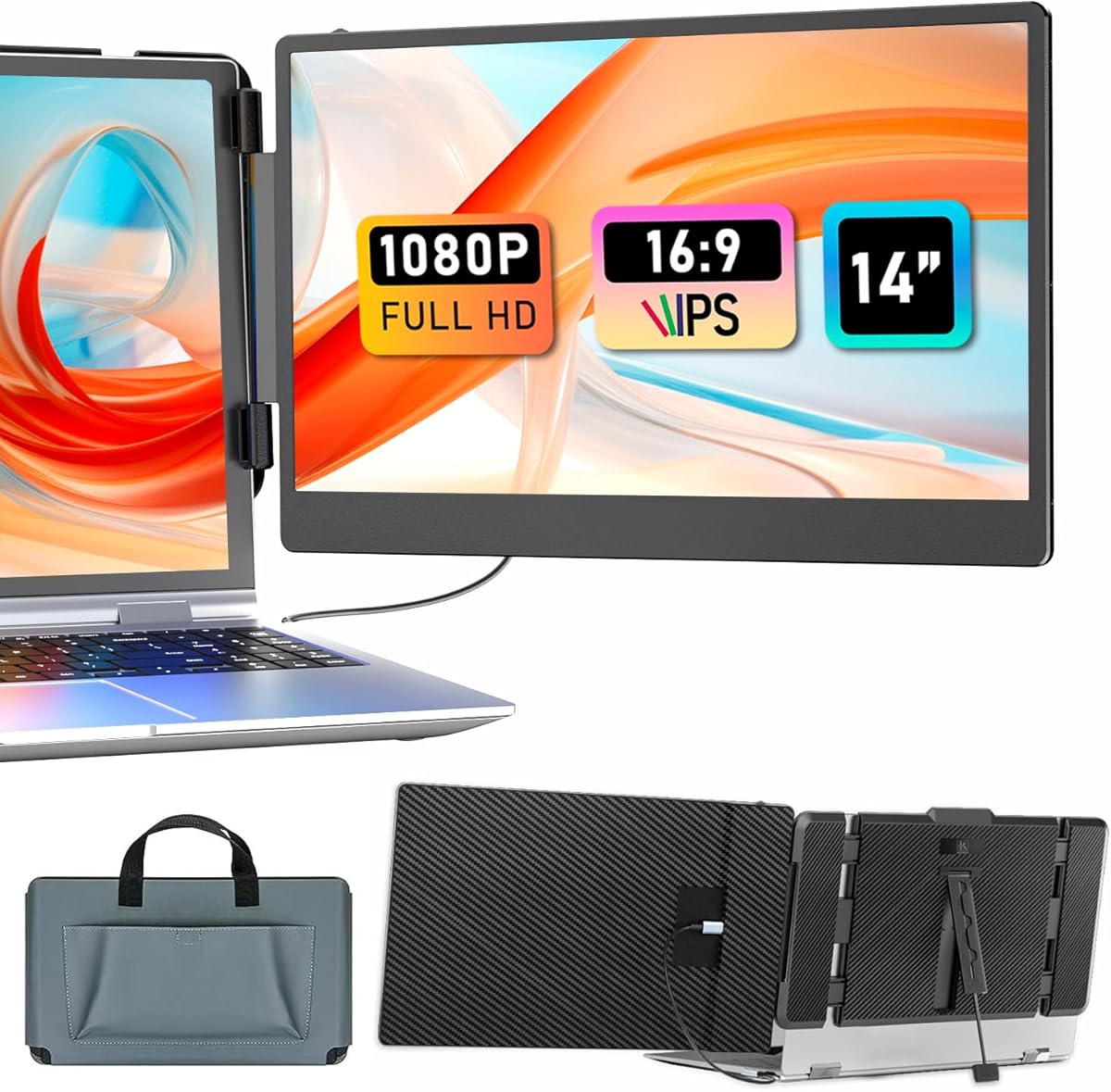
Maximize Productivity on the Go: KEFEYA 14" FHD Laptop Screen Extender Review
When your laptop screen feels cramped, the KEFEYA 14-inch FHD 1080P IPS portable monitor offers a straightforward solution. This dual-screen extender is designed for laptops 13-17 inches, promising plug-and-play functionality via USB-C or HDMI, making it a versatile companion for business trips, coding sessions, or gaming on the couch.
Key Considerations Before Buying
- Check your laptop's USB-C port: Ensure it supports DisplayPort Alt Mode for single-cable video and power. If not, you'll need to use the HDMI port and a separate power source, which adds bulk.
- Consider the stand and kickstand: A sturdy, adjustable stand is crucial for aligning the extender with your laptop's screen height and angle. Flimsy stands can cause wobble and eye strain during long work sessions.
- Assess your primary use case: For productivity, a 14-inch 1080P panel is adequate for documents and spreadsheets. For gaming or color-critical work, you may want a higher refresh rate or better color accuracy, which this budget-friendly model may not offer.
What Our Analysts Recommend
In a portable monitor, prioritize IPS panels for wide viewing angles and consistent colors, and verify the brightness (typically 250-300 nits) is sufficient for your typical environment. Also, check the included cables and whether they support both power and data through a single USB-C connection—this is a key convenience factor that can greatly affect your daily workflow.
Monitors Market Context
Market Overview
The portable monitor market has expanded rapidly with the rise of hybrid work and mobile gaming. Products like the KEFEYA 14-inch extender cater to users who need a second screen without carrying a full-size monitor, offering a balance between size, resolution, and price.
Common Issues
Common complaints in this category include flimsy mounting mechanisms, inconsistent color reproduction, and connectivity hiccups—especially with USB-C ports that don't support video output. Also, many budget portable monitors have poor built-in speakers, which can be a letdown for media consumption.
Quality Indicators
Look for monitors with robust build quality, a solid aluminum or reinforced plastic chassis, and a reliable stand. Check for user feedback on the hinge or attachment mechanism—this is often a weak point. Additionally, ensure the monitor supports both USB-C and HDMI for maximum compatibility with your devices.
Review Authenticity Insights
Grade B Interpretation
The B grade and 15% estimated fake reviews suggest that while the majority of feedback is genuine, a notable minority may be incentivized or untrustworthy. This isn't alarming but warrants caution when reading overly positive or sparse reviews.
Trust Recommendation
Focus on reviews that mention specific use cases (travel, dual-screen setup, gaming) and include details about the build and performance. Verified purchase badges add credibility, but also look for photos or videos from users to see the actual product in real-world settings.
Tips for Reading Reviews
For this product, pay attention to reviews that discuss the stand's stability and the USB-C compatibility with various laptop models. Also, note any recurring complaints about flickering or connection dropouts—these are more telling than one-off praises.
Expert Perspective
The KEFEYA 14-inch FHD IPS portable monitor delivers solid value for its price point, offering a decent resolution and plug-and-play convenience for most users. The 4.44/5 rating, even after adjusting for suspicious reviews to 4.10/5, indicates generally positive reception, but the 15% fake review rate reminds us to temper expectations. It's a reliable choice for everyday productivity and casual gaming, though not without compromises in color accuracy and build robustness.
Purchase Considerations
Weigh the benefits of a lightweight, portable second screen against potential issues like a less durable stand or limited color gamut. If you're a frequent traveler or remote worker needing a simple dual-screen setup, this could be a cost-effective solution. However, if you require high color fidelity for photo editing or a 120Hz refresh rate for competitive gaming, consider investing in a premium model.
Comparing Alternatives
Shoppers should compare the KEFEYA with other portable monitors like the ASUS ZenScreen or Lepow, which may offer better build quality or additional features like a built-in battery, albeit at a higher cost.






