
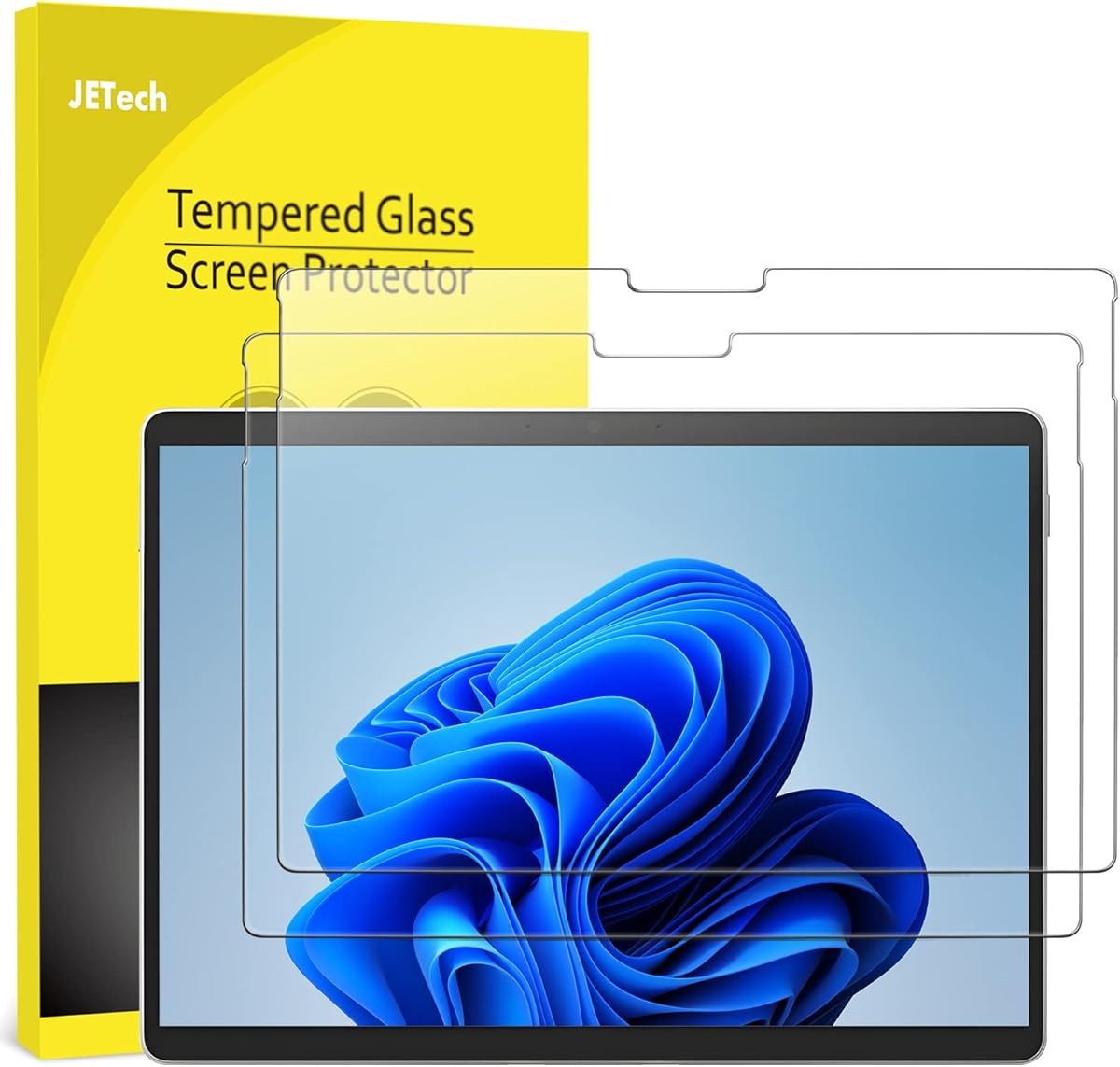
Choosing the Right Tempered Glass Protector for Your Surface Pro 8 or X
For Surface Pro 8 and X owners, selecting a screen protector involves balancing protection with functionality. The JETech model specifically addresses compatibility with the Surface Pen, a critical consideration for users who rely on stylus input. This 9H tempered glass protector must maintain touch sensitivity while providing scratch resistance.
Key Considerations Before Buying
- Surface Pen compatibility is non-negotiable—look for explicit confirmation that the protector doesn't interfere with pressure sensitivity or palm rejection features.
- Installation precision matters for edge-to-edge coverage on the 13-inch display; alignment tools in the packaging significantly reduce application errors.
- The 2-pack value proposition provides a backup for installation mishaps, which are common with large-format tablet screens.
What Our Analysts Recommend
Quality indicators include oleophobic coatings to reduce fingerprints and precise cutouts for cameras and sensors. For Surface devices specifically, verify the protector doesn't create air gaps around curved display edges, which can affect touch responsiveness. The 9H hardness rating should correspond to actual scratch resistance against keys and everyday abrasives.
Screen Protectors Market Context
Market Overview
The Surface Pro screen protector market is segmented between generic film protectors and premium tempered glass options like this JETech model. Recent trends show increased demand for protectors that maintain compatibility with Microsoft's proprietary pen technology while offering genuine drop protection.
Common Issues
Installation challenges top user complaints, particularly with bubble formation on large 13-inch surfaces. Some protectors interfere with the auto-brightness sensor or create rainbow effects under pressure. Cheaper alternatives often lack proper oleophobic coatings, leading to constant smudging on the high-use Surface touchscreen.
Quality Indicators
Premium tempered glass protectors feature rounded edges that don't catch on cases and maintain consistent thickness across the entire surface. Look for packaging that includes installation tools specifically designed for tablet-sized applications, not just smartphone-sized wipes and squeegees.
Review Authenticity Insights
Grade B Interpretation
A Grade B authenticity rating with 11% estimated fake reviews indicates generally trustworthy feedback, though some manipulation may exist. The adjusted 4.60/5 rating (down from 4.89) suggests the genuine user experience is slightly less perfect than the raw numbers indicate.
Trust Recommendation
Focus on verified purchase reviews that mention specific Surface Pro model compatibility and long-term usage experiences. The high percentage of verified purchasers (noted in the analysis) increases confidence in the overall feedback about installation success and pen performance.
Tips for Reading Reviews
Prioritize reviews that discuss Surface Pen performance specifically, as this is the most technical aspect. Look for Canadian purchasers mentioning winter conditions, as temperature changes can affect adhesive performance and installation success in different climates.
Expert Perspective
The JETech protector demonstrates strong market performance with its 4.60 adjusted rating, particularly impressive for a screen protector where installation difficulties typically depress scores. The explicit Surface Pen compatibility addresses the primary concern for creative professionals and note-takers. The 2-pack offering acknowledges the reality that first-time installation on 13-inch devices often requires a second attempt, showing practical product design thinking.
Purchase Considerations
Weigh the value of having a backup protector against potential quality variations between the two pieces in the pack. Consider whether your usage pattern—frequent travel versus desk use—justifies tempered glass protection versus lighter film alternatives. The high rating suggests most users successfully navigate installation, but those with limited DIY experience might want to research application techniques first.
Comparing Alternatives
Compare thickness specifications and edge treatment with competing brands, as these factors affect case compatibility and touch sensitivity at screen edges.

![[2 Pack] OMOTON Screen Protector for Amazon Fire HD 10 Tablet (13th/11th Generation, 2023/2021 Released)/Fire HD 10 Plus/Fire HD 10 Kids/Fire HD 10 Kids Pro All-New 10.1 Inch Tablet, Tempered Glass/9H Hardness](https://m.media-amazon.com/images/I/71Xeq96IEgL.__AC_SX300_SY300_QL70_FMwebp_.jpg)
![AACL 2-Pack Tempered Glass for All-New W10Y Fire HD 10 Screen Protector 10.1Inch (2023/2021,13th/11th Gen), 9H Glass for W10Y Fire HD 10 Tablet Screen Protector [Easy Installation][Anti-Scratch]](https://m.media-amazon.com/images/I/71gQxr7VL3L.__AC_SX300_SY300_QL70_FMwebp_.jpg)


