
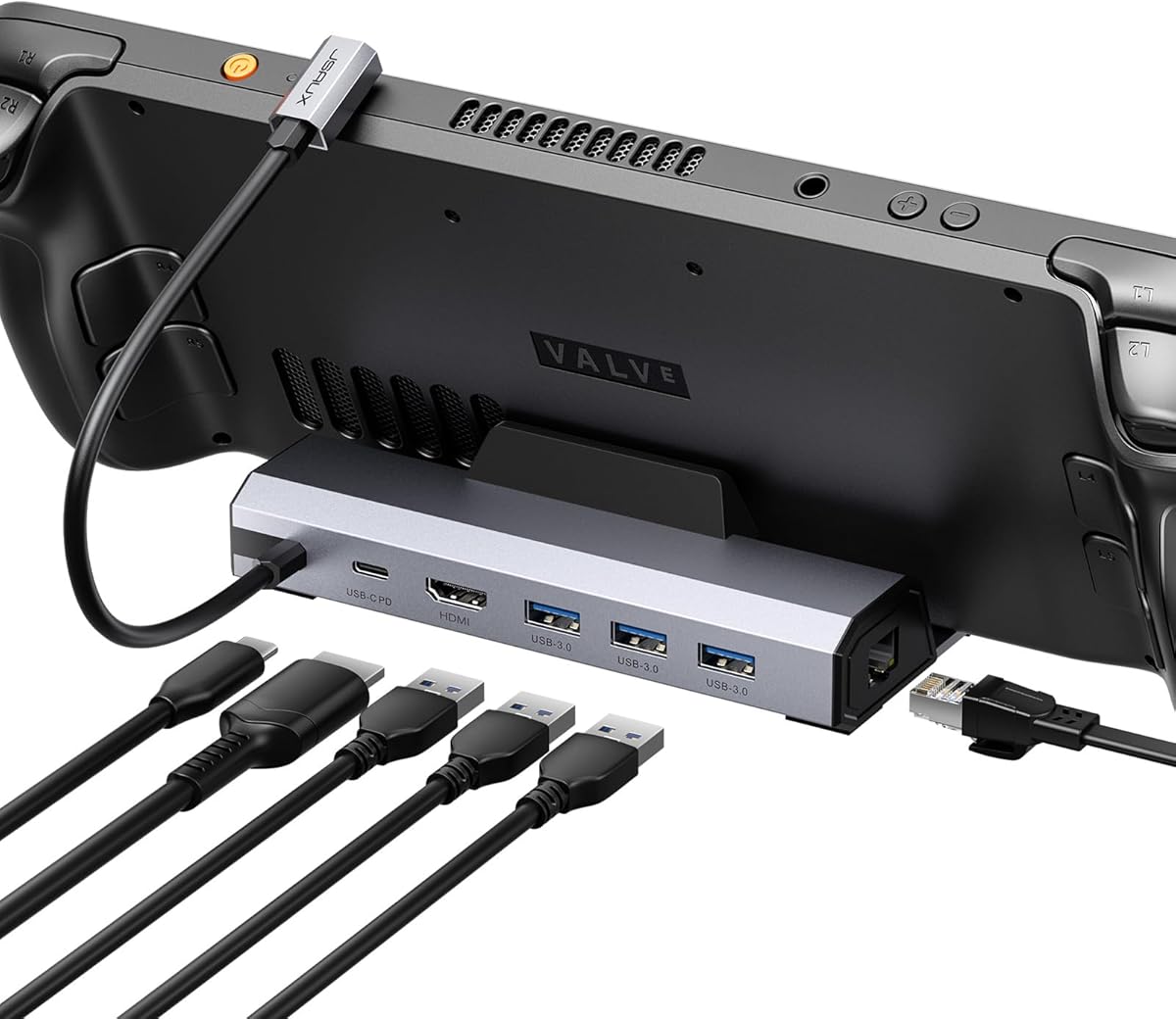
Choosing a 4K@120Hz Docking Station for Your Handheld Gaming PC
For Steam Deck, ROG Ally X, Legion Go, or MSI Claw owners, a proper docking station transforms your handheld into a desktop setup. This JSAUX HB0603S model specifically targets gamers needing 4K@120Hz output, Gigabit Ethernet for stable online play, and 100W charging to power both the dock and device simultaneously. Understanding the balance between video bandwidth, port selection, and power delivery is crucial for this category.
Key Considerations Before Buying
- Verify your specific handheld model's compatibility with the dock's USB-C port placement and power requirements, as the ROG Ally X and Legion Go have different power profiles than the Steam Deck.
- Confirm that your display supports HDMI 2.0 to achieve the advertised 4K@120Hz; many monitors and TVs only support 60Hz at 4K via HDMI.
- Assess your need for the three USB-A 3.0 ports for peripherals like keyboards, mice, and external storage against potential USB bandwidth sharing with the Ethernet and video signals.
What Our Analysts Recommend
Quality indicators include robust heat dissipation mentioned in reviews, a weighty construction that prevents cable drag from toppling the unit, and clear labeling of the dedicated 100W USB-C PD input port. Look for manufacturer transparency on supported video protocols (like DisplayPort Alt Mode) and power delivery specifications for your specific device.
Docking Stations Market Context
Market Overview
The handheld PC docking station market has fragmented, with brands like JSAUX, Valve, and others offering tailored solutions. The 'Upgraded' HB0603S sits in a competitive mid-tier, positioned between basic HDMI hubs and premium docks with additional video outputs or faster USB standards.
Common Issues
Common problems include inconsistent handshake with displays causing black screens, overheating during sustained 4K gaming sessions throttling performance, and power delivery circuits failing to prioritize the handheld device, leading to slow battery drain. Incompatibility with certain third-party chargers is also frequent.
Quality Indicators
Identify quality through detailed spec sheets listing supported resolutions and refresh rates per device, use of premium chipsets from known manufacturers (e.g., Realtek for Ethernet), and inclusion of a separate power adapter rather than reliance on the handheld's charger. User reviews noting stable Gigabit Ethernet performance under load are a strong signal.
Review Authenticity Insights
Grade B Interpretation
A 'Grade B' with an estimated 10% fake review rate suggests a generally trustworthy review pool, but advises healthy skepticism. The adjusted rating of 4.20/5 (down from 4.44/5) indicates the genuine consensus is slightly less enthusiastic than the raw average implies.
Trust Recommendation
Focus on the verified purchase reviews discussing specific use cases, like achieving 120Hz on a Legion Go or noting Ethernet stability during downloads. The single 1-star review amidst high ratings warrants close reading to identify if it points to a rare defect or a user-specific compatibility issue.
Tips for Reading Reviews
Prioritize reviews that mention using the dock with your exact device model (e.g., 'ROG Ally X') and that test the 4K@120Hz claim. Be wary of overly vague 5-star reviews and seek out those detailing setup steps, cable types used, and thermal performance during extended play sessions.
Expert Perspective
The JSAUX HB0603S presents a compelling, feature-specific package for the handheld gamer targeting high-refresh-rate TV or monitor gameplay. Its strong adjusted rating of 4.20/5 from over 4,100 reviews indicates reliable performance for most users. The inclusion of Gigabit Ethernet and three USB-A ports addresses key desktop transition needs, though the 4K@120Hz capability is the defining, niche feature. The 'B' authenticity grade suggests you can base your decision on the review corpus with reasonable confidence.
Purchase Considerations
Weigh the necessity of 120Hz at 4K—a demanding use case—against the potential for thermal stress on the dock and your handheld. If your primary needs are 4K@60Hz, Ethernet, and charging, more affordable options exist. Ensure you have a compatible 100W USB-PD charger, as performance hinges on adequate power input.
Comparing Alternatives
Shoppers should compare this dock's port layout and video specs directly against official docks from Valve or ASUS, and similar third-party options from brands like Ugreen or Syntech.


